SPECIALISTS IN DIGITAL TELECARE
17
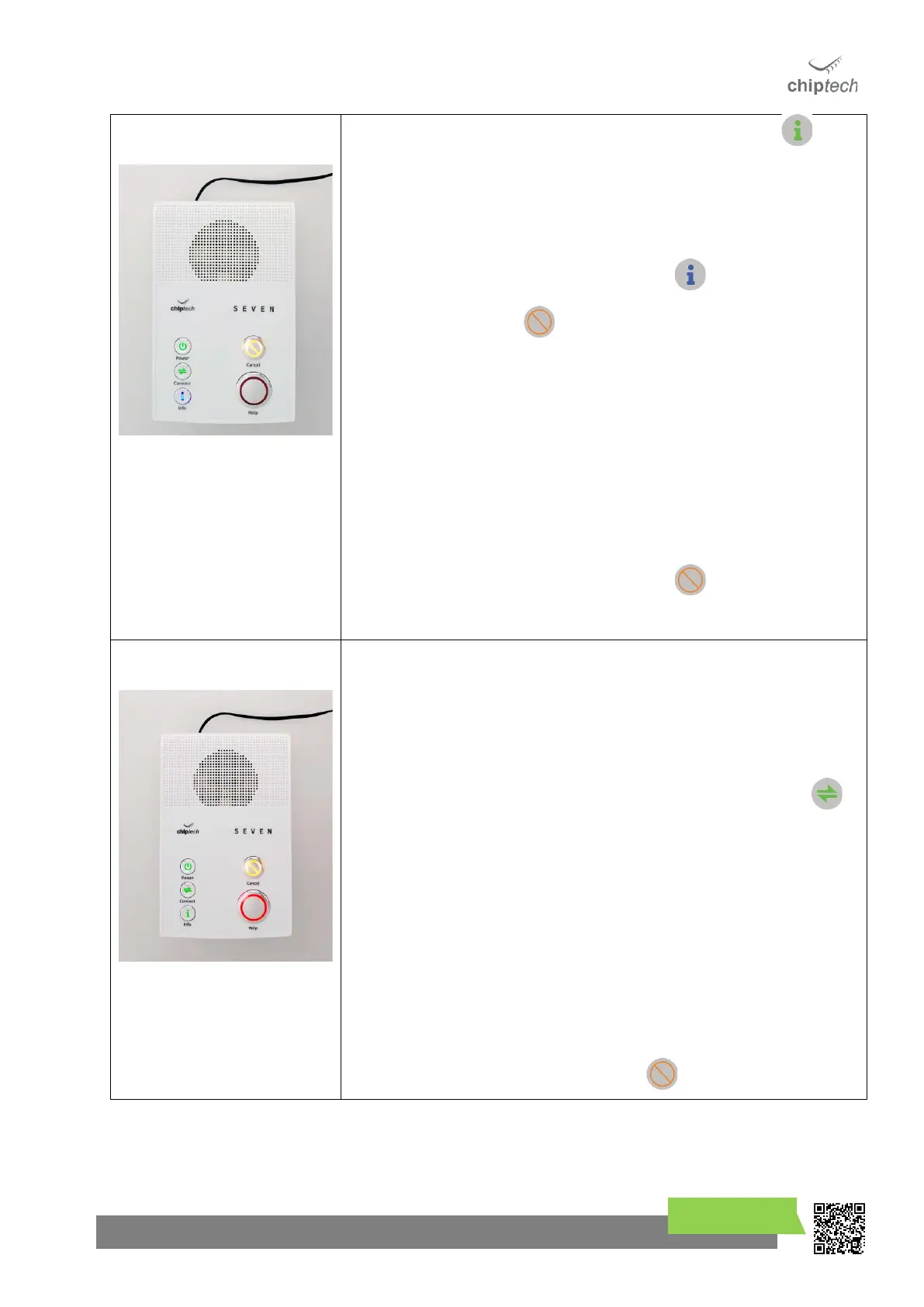
• Perform an RF Test by pressing and holding the Info button for
three (3) seconds. SEVEN will play the voice message, “There are no
messages”, and then will sound a beep.
• SEVEN will then announce “RF Test, please activate all your RF devices,
or press Cancel to finish.” (Voice message will repeat until this is done.)
• While in the RF Test mode the Info button will be solid blue.
• The Cancel button light also turns on to indicate you can press it
to exit this mode. Alternatively, the RF Test mode will time out after
ten (10)* minutes.
• Range test all the RF devices.
• Fixed RF devices should be tested from their location.
• Pearl personal help buttons should be tested from multiple locations
around the home and garden.
o Check the Pearl outer edge flashes red after each button
press. See section 10.2.1
o Range testing with GO is more detailed, please refer to
Section 10.2.3
• When completed, press the Cancel button once to end the
process, SEVEN will announce “RF Test end.”
If you only have a single communication pathway for connecting to monitoring
(i.e. one SIM card, no Ethernet), skip to Step 9.
If you have more than one communication pathway enabled (i.e. SIM A and SIM
B, or Ethernet and SIM A), then you will need to perform a Communication
Pathway Test to ensure all the Internet and Cellular connections are working as
expected.
To initiate a Communication Pathway Test, press and hold the Connect
button until SEVEN announces “Pathway test started.” The lights under the Help
button will rotate but there will be no pre-alarm.
Each unique pathway that has been enabled will be used to send a test report to
monitoring to confirm it works. As the test runs, SEVEN announces each of the
pathways that it is testing along with the “Success” or “Failure” result for each
test.
If you hear “Fail” after a pathway is tested, you will need to take note of the
communication pathway that failed, and the number of the slot position. Refer
to Section 18.3, Communication Pathway Test Fail.
You can perform the Communication Pathway Test multiple times.
To exit at any stage, press the Cancel button.



 To Next Page