Freeze-dryer Alpha 1-4 LSCplus
Freeze-dryer Alpha 2-4 LSCplus
Version 01/2011, Rev. 2.3 of 03/07/2017 • sb
Translation of the original operating manual
6.5.1.2 Main window "Program"
In the main window "Program", pre-programmed freeze-drying processes
can be loaded and edited and new programs can be created with the
PGMplus programmer module. For this function, the PGMplus programmer
module must be available.
The PGMplus programmer module is an option that is not included as
standard (see chapter 6.5.3 - "Option: freeze-drying with the PGMplus
programmer module"). If the programmer module is not enabled, programs
can only be created and edited for demonstration purposes.
The execution of a program, however, is not possible!
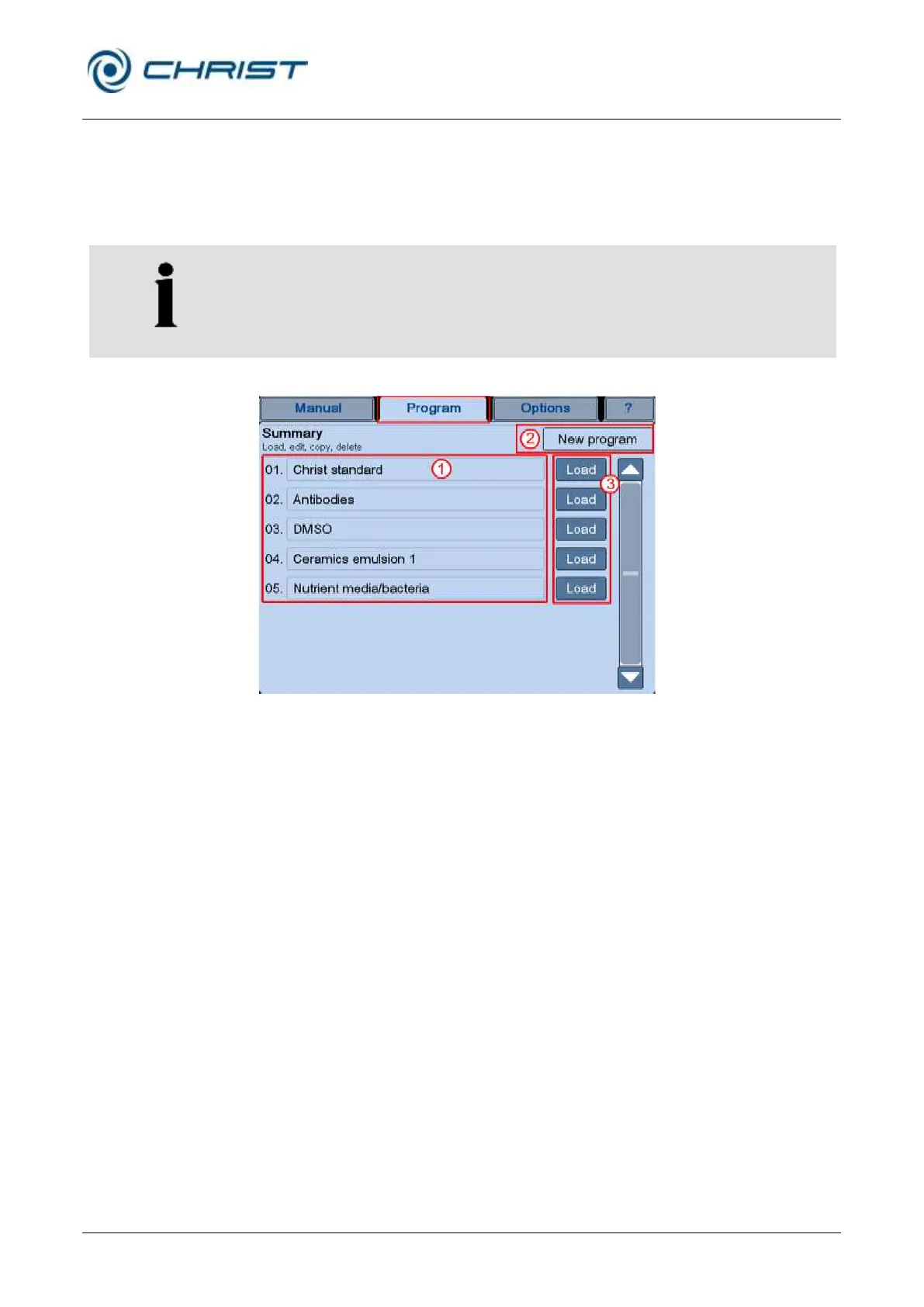
1 Program list
2 Button "New
program"
3 Buttons "Load"
Fig. 33: Overview of the main window "Program"
Program list (1)
After the selection of the main window "Program", an overview of the
programs that have already been saved will be displayed. Pressing the
button "Load" (3) behind the program name calls up the program data.
Programs can be loaded, edited, copied, or deleted (see chapter 6.5.3 -
"Option: freeze-drying with the PGMplus programmer module").
Dialog box "New program" (2)
In this dialog box, new programs can be created either based on an already
existing program or completely from scratch (see chapter 6.5.3.1 -
"Creating a program").



 To Next Page