Freeze-dryer Alpha 1-4 LSCplus
Freeze-dryer Alpha 2-4 LSCplus
Version 01/2011, Rev. 2.3 of 03/07/2017 • sb
Translation of the original operating manual
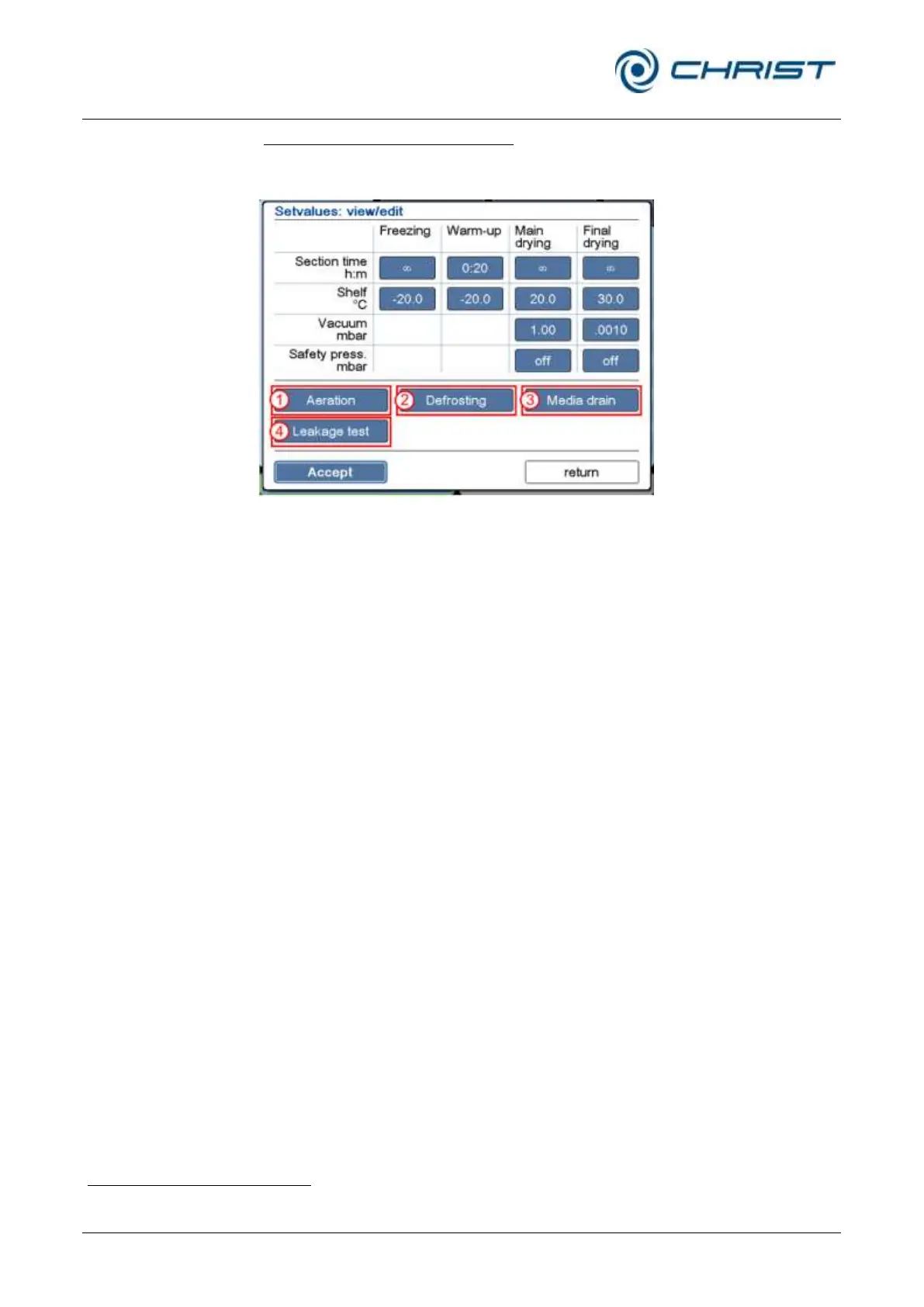
Viewing or editing the set values:
• Press the button "Set values: view/edit" (see chapter 6.5.1.1 - "Main
window "Manual""). The following dialog box will be displayed:
1 "Aeration" button
2 "Defrosting" button
3 "Media drain" button
(special equipment)
4 "Leakage test" button
(option)
Fig. 56: Dialog box "Set values: view/edit"
Fields that are displayed in the form of buttons can be edited.
• Aeration (1)
If the freeze-dryer is equipped with an automatic aeration valve, this
button is used to define the aeration pressure.
• Defrosting (2)
This button is used to pre-define the defrosting time and temperature
.
In addition, this button is used to define whether the operating mode
“media drain” (see below) will be started automatically after the
defrosting process.
• Media drain (3)
If the freeze-dryer is equipped with an automatic media drain for
condensate water or another medium, the opening time of the drain
valve can be pre-selected in this dialog box.
• Leakage test (4)
This function is optional (see chapter 6.6 - "Optional extensions"). This
button displays the parameters that are used for the leakage test. In
addition, the test time and the chamber volume must be stated
(depending on the accessories that are used).
not for hot-water defrosting



 To Next Page