Freeze-dryer Beta 1-8 LSCbasic
Freeze-dryer Beta 2-8 LSCbasic
Version 03/2018, Rev. 1.5 of 09/03/2020 • sb-dc
Translation of the original operating manual
There are three categories of faults:
• Red: error messages
• Orange: process messages
• Yellow: general messages
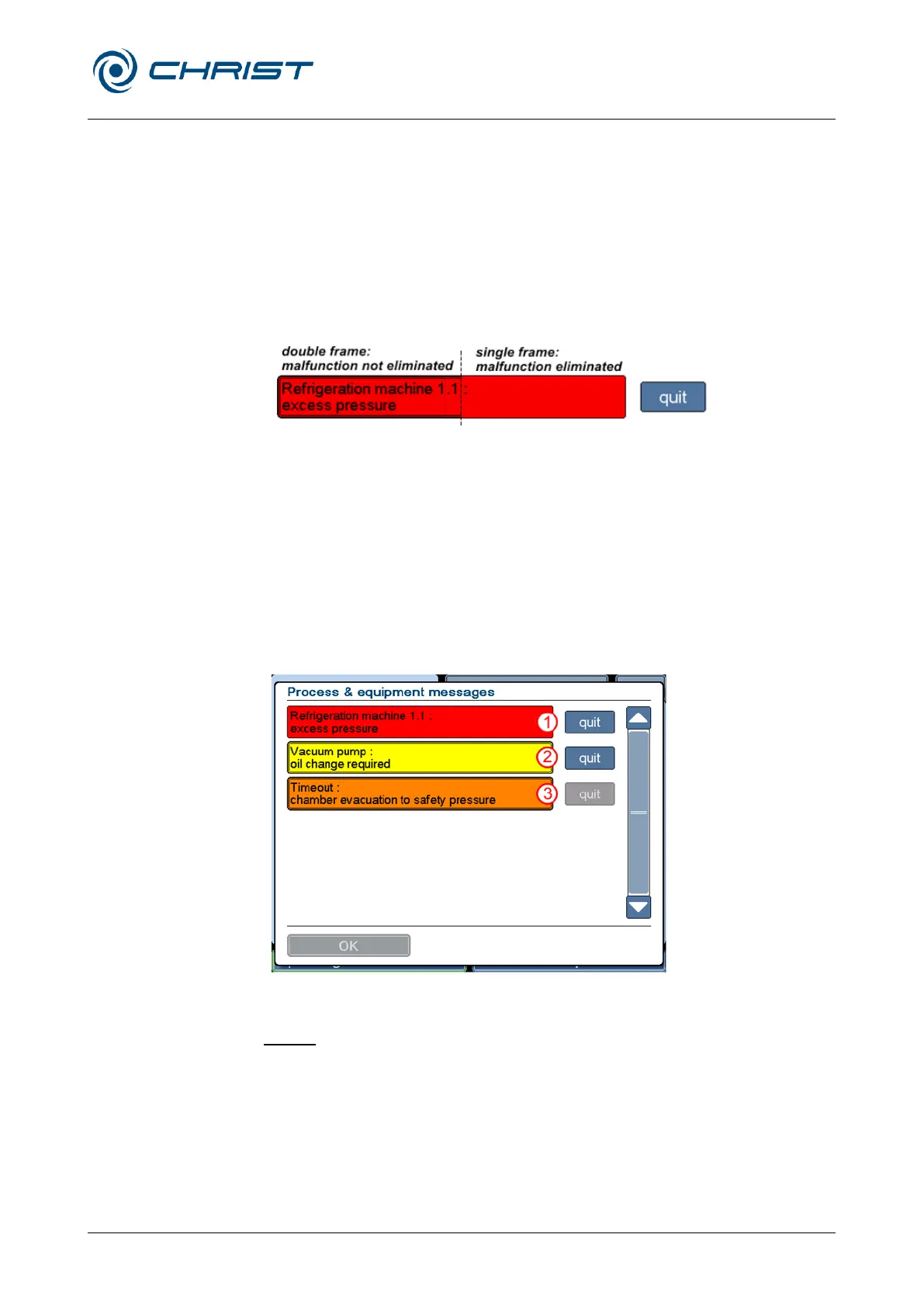
The representation of the message provides information about its current
status. A double frame around a message means that the error has not
been eliminated yet. The colour of the button "quit" changes from blue to
grey once the message has been acknowledged.
Fig. 24: Representation of an error message
The advantage of this system is that faults that occurred during the night
can be discovered the next day even if the cause of the fault has already
been eliminated.
The dialogue box cannot be quit until all of the messages have been
acknowledged.
If a message has been acknowledged even though the fault has not been
eliminated, the button "Process and equipment messages" will be displayed
in the respective colour of the fault in the main window.
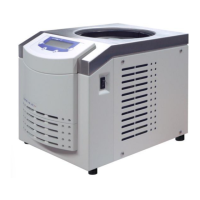
1 The fault has been
eliminated, but the
message has not
been acknowledged
yet
2 The fault has not be
eliminated and the
message has not
been acknowledged
yet
3 The fault has not
been eliminated
yet, but the
message has been
acknowledged
Fig. 25: Dialogue box "Process and equipment messages
Details
Tapping the message displays details concerning the error message:
• Cause of the message
• Effects of the message
• Measures to eliminate the error
• → Reference designation
• Error counter (indicates how often this error has occurred) and the time
stamp of the last error message.


 To Next Page