Freeze-dryer Beta 1-8 LSCbasic
Freeze-dryer Beta 2-8 LSCbasic
Version 03/2018, Rev. 1.5 of 09/03/2020 • sb-dc
Translation of the original operating manual
6.5.1.3 Main window "?"
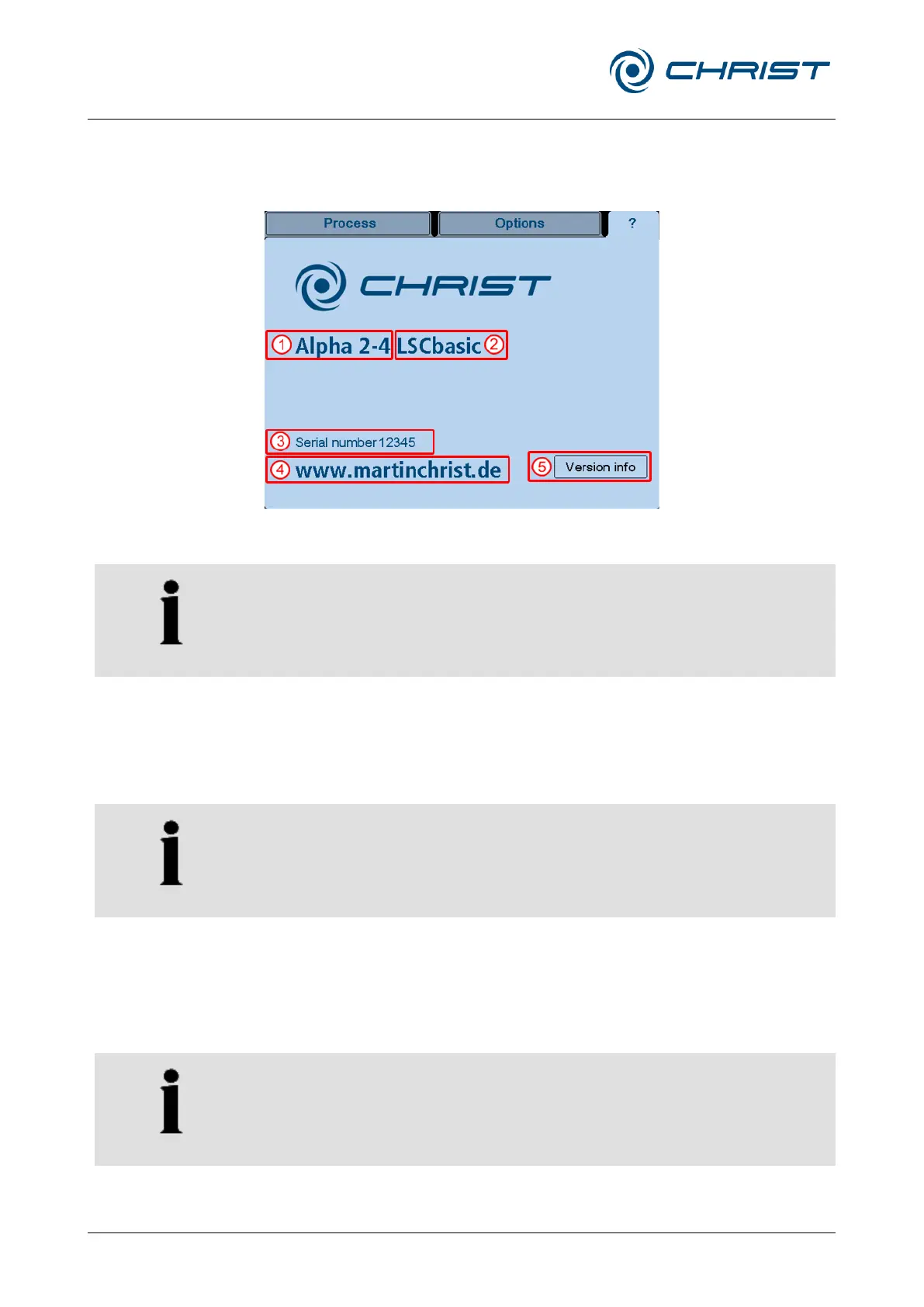
This main window includes the most important information concerning your
freeze-dryer:
1 Freeze-dryer type
2 Control system type
3 Serial number
4 Manufacturer contact
data
5 Details concerning the
software version
Fig. 48: Freeze-dryer system information (example)
In the event of enquiries at the manufacturer, please state the data that is
stated here.
6.5.2 Starting a freeze-drying process
Freeze-drying processes are started in the main window "Process".
Prior to any freeze-drying process, the correct method must be selected
(chapter 6.5.1.2 - " Main window "Options"", "Freeze-drying process (3)").
The set values for the individual process phases ("Freezing", "Warm-up",
"Main drying" and "Final drying") are defined prior to the start of the
process (see chapter 6.5.2.1 - "Entering set values"). Then, the freeze-
drying process can be started via the dialogue box "Operating mode:
select/start".
If the freeze-drying process is to be started directly with the "Main drying"
phase, the vacuum pump must be warmed up approximately 15 minutes
prior to the process start. Failure to do so will result in a corresponding
warning message when the process starts.


 To Next Page