Freeze-dryer Beta 1-8 LSCbasic
Freeze-dryer Beta 2-8 LSCbasic
Version 03/2018, Rev. 1.5 of 09/03/2020 • sb-dc
Translation of the original operating manual
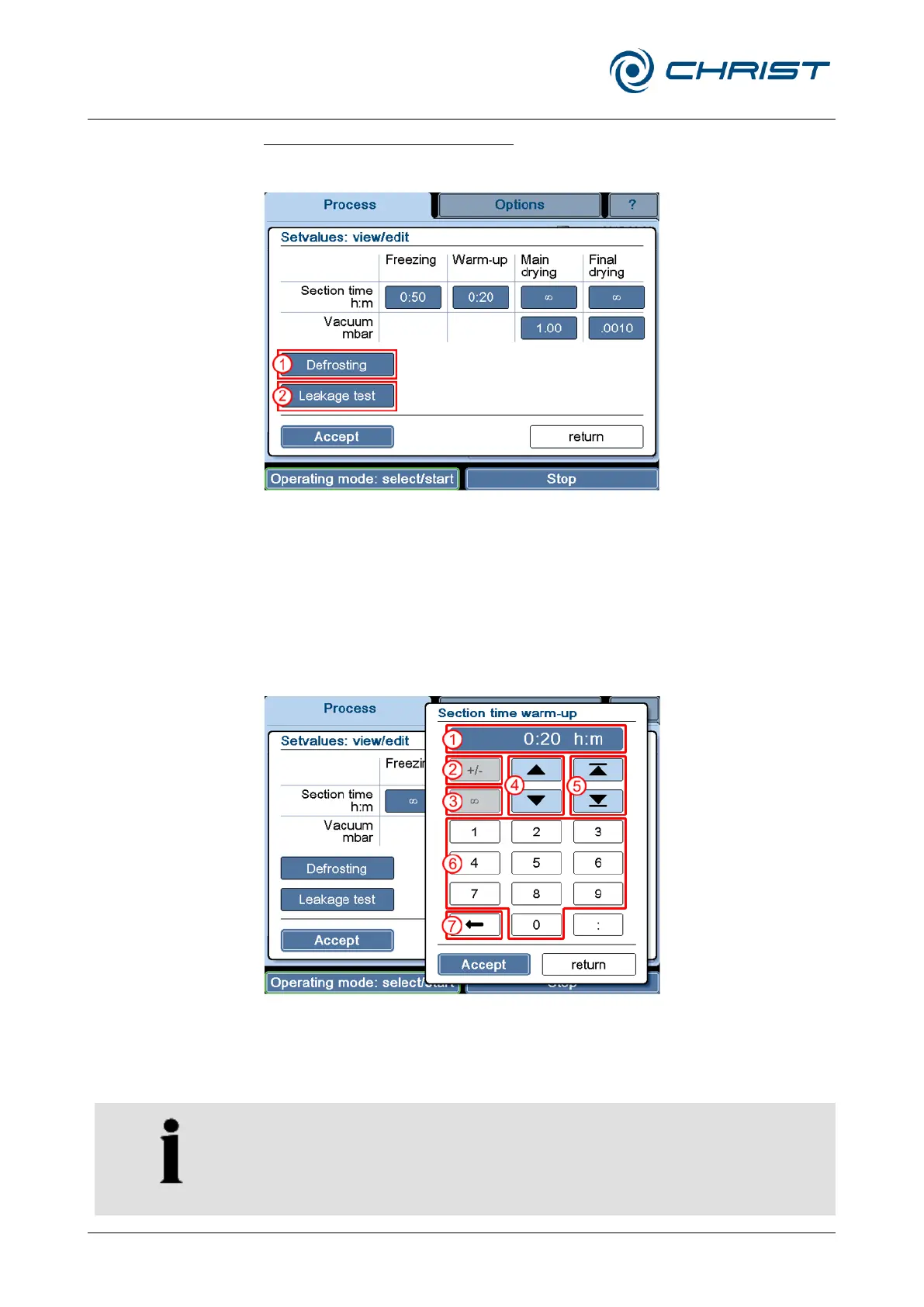
Viewing or editing the set values:
• Press the button "Set" (see chapter 6.5.1.1 - "Main window "Process"").
The following dialogue box will be displayed:
1 "Defrosting" button
2 "Leakage test" button
(option)
Fig. 50: Dialogue box "Set values: view/edit"
Fields that are displayed in the form of buttons can be edited.
• Defrosting (1)
This button is used to pre-define the defrosting time and temperature.
• Leakage test (2)
This button displays the parameters that are used for the leakage test.
In addition, the test time and the chamber volume must be stated
(depending on the accessories that are used).
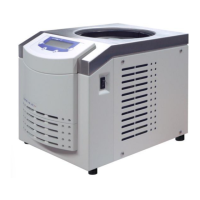
Numerical values can be edited with the aid of a numerical keypad:
1 Set value display
2 Button for changing the
sign (e.g. when entering
temperature values)
3 "" (infinite)
4 Button for editing the
value in pre-defined
steps
5 Selection of a possible
maximum or minimum
value
6 Input of a value via the
numerical keypad
7 Button for deleting the
displayed value
Fig. 51: Editing set values
• Confirm the new value and quit the numerical keypad by pressing the
button "Accept".
• Confirm the input and quit the dialogue box via the button "Accept".
If the dialogue box is closed by the button "return", the changes will be
discarded.


 To Next Page