E Series User Manual
020-000515-01 Rev. 2 (03-2013)
Section 4: Operation
4-2
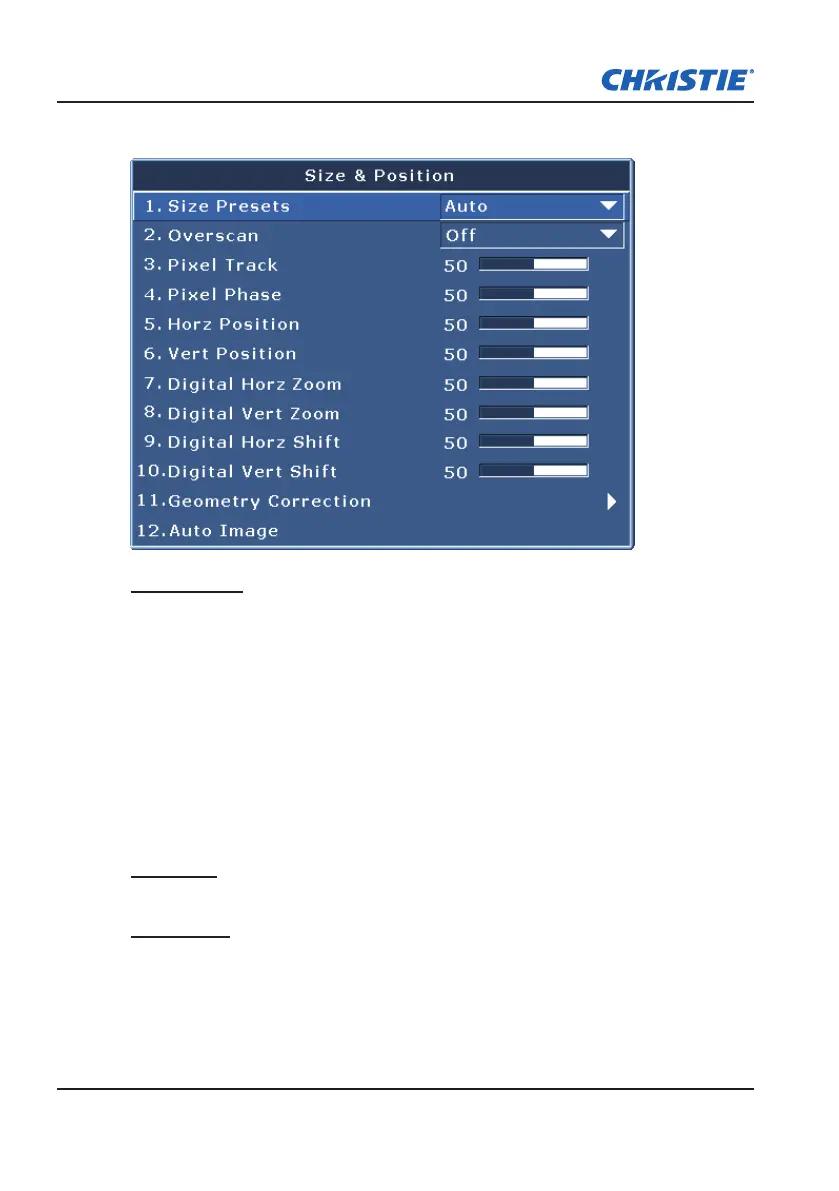
4.1 Size and Position Menu
Size Presets
Display an image with the detected size, or resize the image by maximizing
either the height, width or both, or resize to the maximum size possible while
keeping the original aspect ratio.
Auto:
y
Display with the detected size.
Native: Display in its native resolution.
y
4:3: Retain 4:3 aspect ratio.
y
Letterbox: Display with the black borders on the top and bottom.
y
Full Size: Fill the screen (regardless of the source).
y
Full Width: Fill display width and keep aspect ratio.
y
Full Height: Fill display height and keep aspect ratio.
y
Overscan
Remove noise around the image. The ZOOM range can be from 50% to 400%
Pixel Track
Analog RGB signals only. Steady ickering or several soft vertical stripes
or bands across the entire image indicates poor pixel tracking. Proper pixel
tracking ensures that the image quality is consistent across the screen, the
aspect ratio is maintained, and that the pixel phase can be optimized.



 To Next Page