E Series User Manual
020-000515-01 Rev. 2 (03-2013)
Section 4: Operation
4-31
4.10.3 Use Christie Presenter
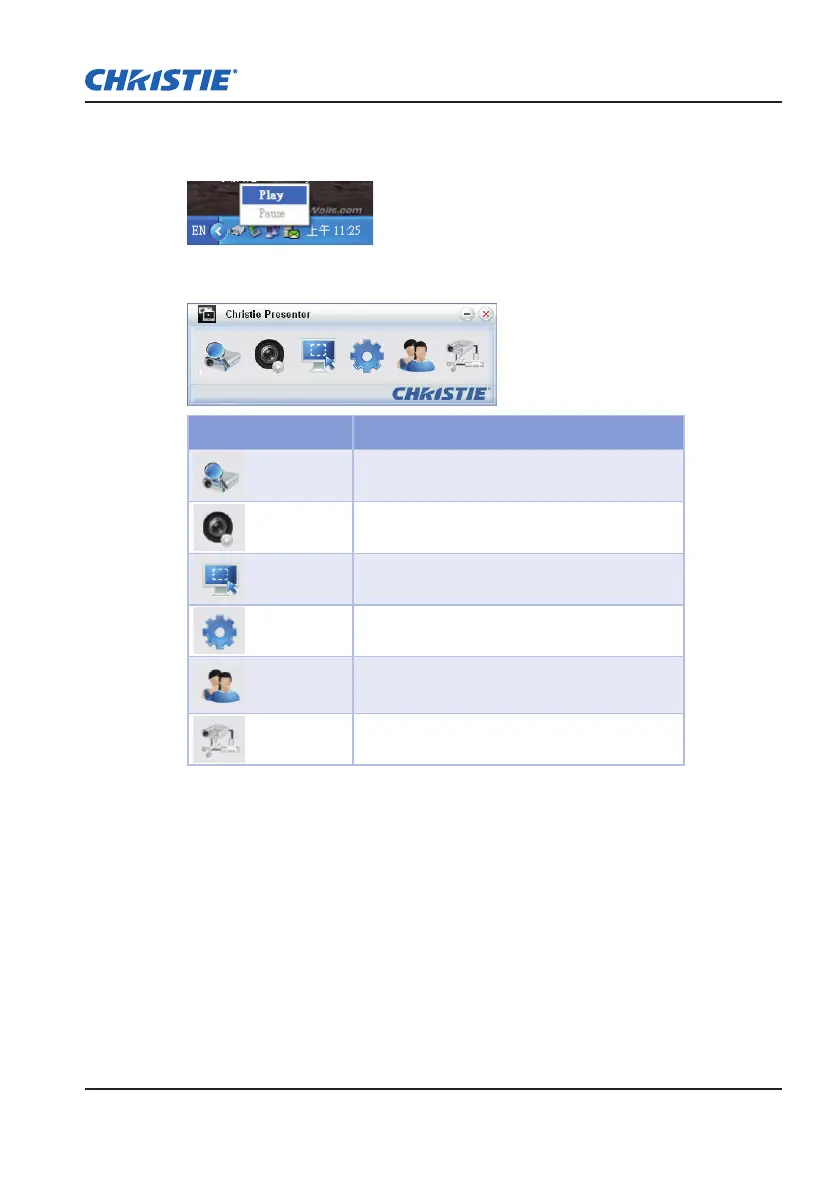
Press the autorun icon in the system tray to pause or play the USB display.1.
After starting the Christie Presenter application, the main window can been 2.
seen (shown below).
Icon Description
Connect and search network display
Stop/start displaying desktop contents to
connected network display
Select display region
Congure Christie Presenter
Manage all connected network displays
Disconnect all connections



 To Next Page