E Series User Manual
020-000515-01 Rev. 2 (03-2013)
Section 4: Operation
4-6
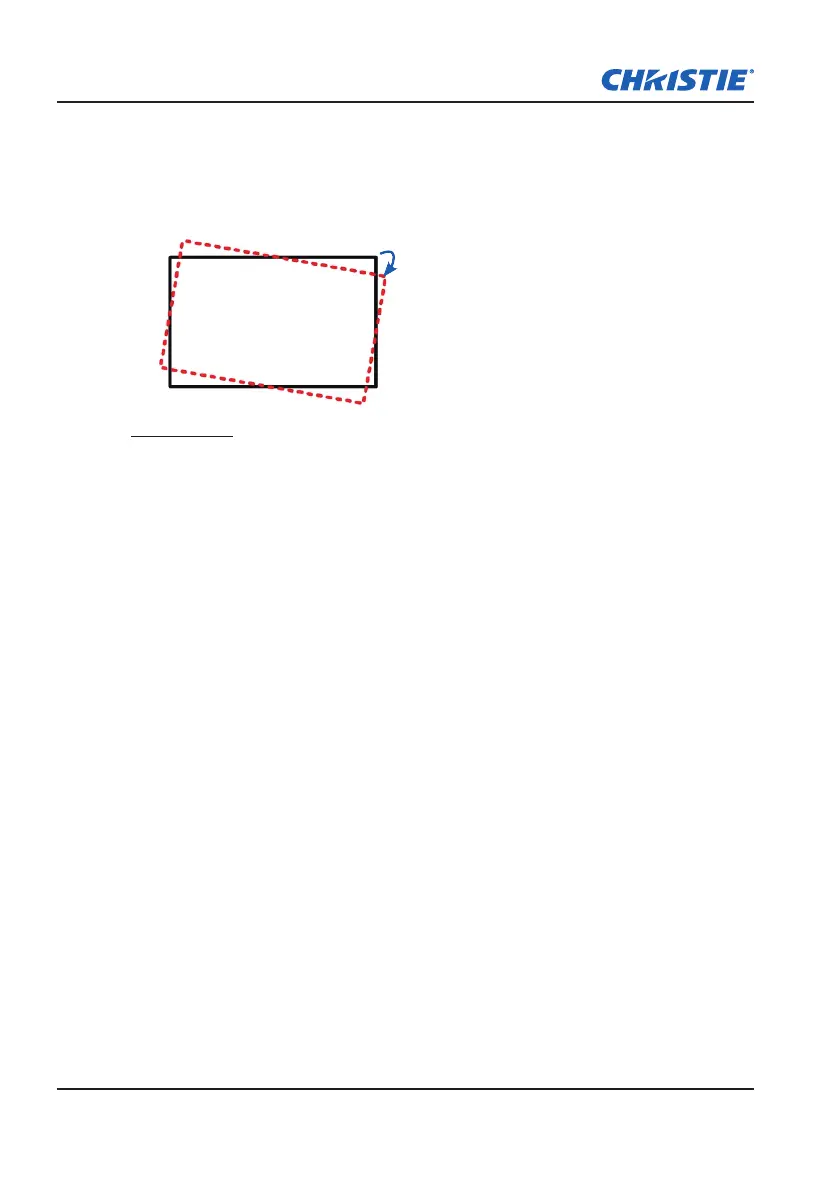
Rotation: Allow an image to be rotated – most commonly to level the
y
image. While the image is rotated, the software can crop any content that
begins to fall off the panel. The function will not automatically scale the
image down to prevent cropping. If scaling is required, the digital zoom
function can be used, independently of the rotation function.
±8°
Auto Image
Force the projector to reacquire and lock to the input signal. This is useful
when signal quality is marginal. “Normal mode” can support all of the 4:3 input
sources.
“Wide mode” can support all of the 16:9 input source & most of the 4:3 input
source. For those 4:3 input sources not recognized by "Wide mode" (example
1400 x 1050), perform Auto Image using “normal mode”.



 To Next Page