E Series User Manual
020-000515-01 Rev. 2 (03-2013)
Section 4: Operation
4-34
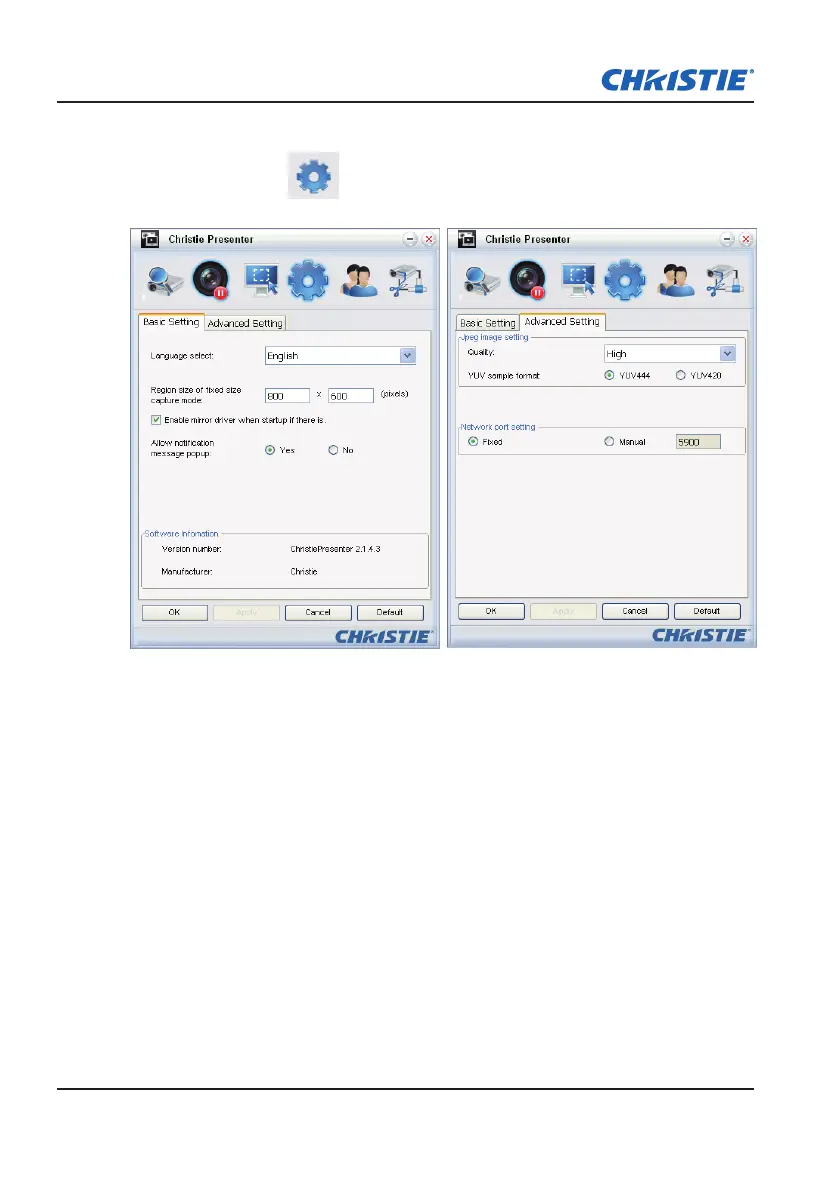
Congure Christie Presenter
Click the button
to congure Christie Presenter for Basic Setting
and Advanced Setting.
Basic Setting: Select language, change the region size of xed size
y
capture mode, and select if notication message popup is allowed.
Advanced Setting: Select the quality of JPEG image, YUV sample format
y
and network port setting. (The "Fixed" port is Port 5900)



 To Next Page