0-5461 7-3 ROUTINE SERVICE REQUIREMENTS
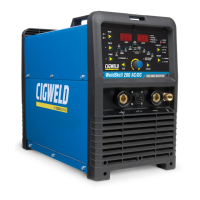
G. Calibrate Power Source
This Power Source has no calibration potentiometers on the Control or Inverter PCBs. The firmware within
the Control PCB set the maximum output current for the power source.
If the welding current can’t be controlled by the Amperage Control (Welding Current) knob on the front
panel then:
• Check for a DC signal on JP1 pins 14 & 7 in the Control PCB.
If no sign then check Current Transformer, M1, on the primary tap of the main transformer, D16, D17,
D18, D19, R59, R60, R61, and ribbon cable between PCBs.
• If all components test OK then replace the Control PCB.
7.02 Cleaning the Welding Power Source
WARNING
There are extremely dangerous voltage and power levels present inside this product. Do not attempt to open or repair
unless you are a qualied electrical tradesperson. Disconnect the Welding Power Source from the Mains Supply Voltage
before disassembling.
To clean the Welding Power Source, open the enclosure and use a vacuum cleaner to remove any accumulated
dirt, metal filings, slag and loose material.



 To Next Page