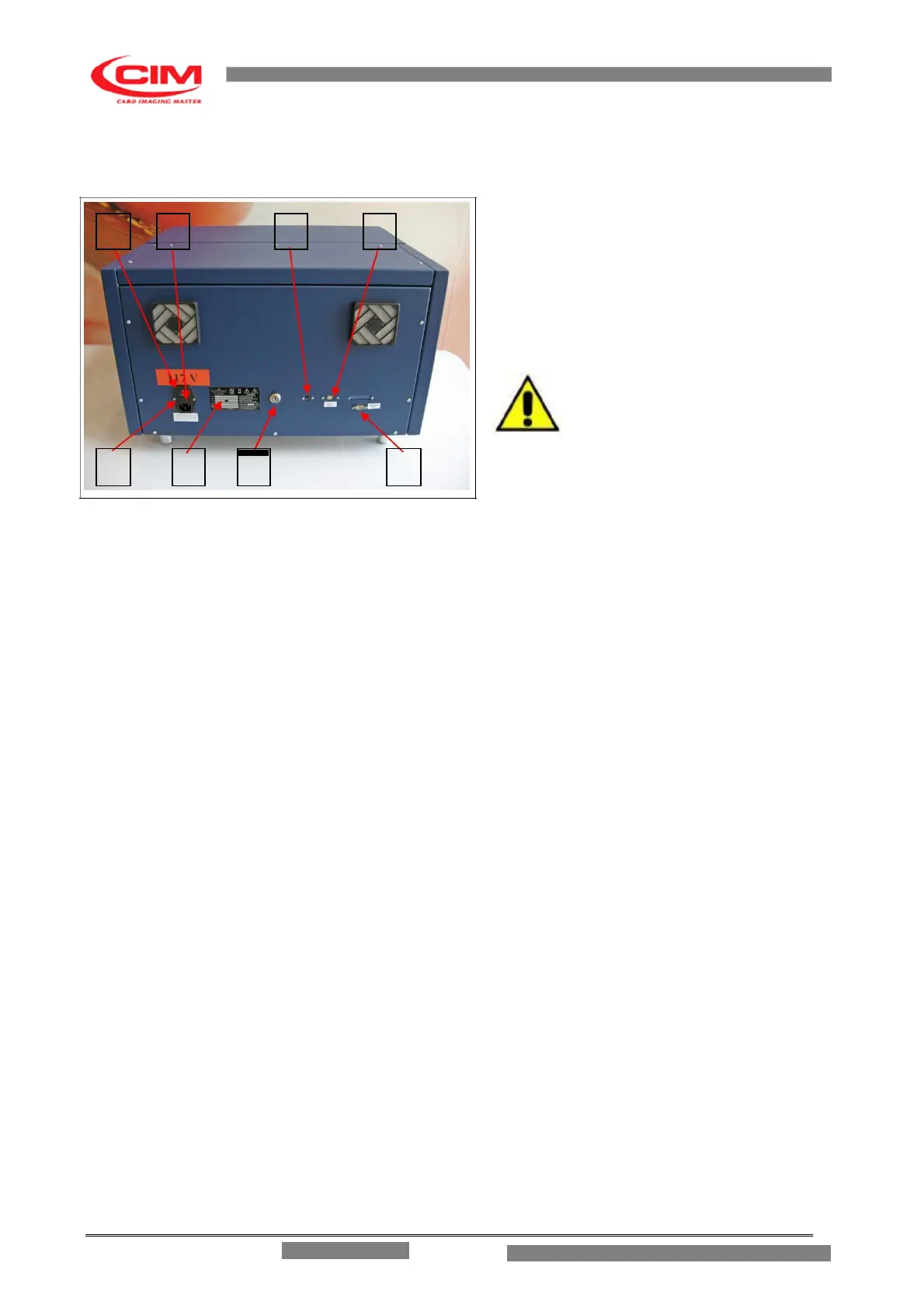
3.2 ELECTRICAL CONNECTIONS
FIG 3.3
The installation of the METAL EMBOSSER
system is easily done. Examine the rear control
panel of the cover, (Ref. figure 3.3) there are all
the sockets for the various connections.
Continue as follows:
- Connect the USB cable between the Computer
and the Embosser
- Connect the power supply cable to the PA 80
socket.
WARNING: TO AVOID
ELECTRIC SHOCK THE
POWER CARD PROTECTIVE
GROUNDING CONDUCTOR
MUST BE CONNECTED TO A GROUND CIRCUIT CONFORMS TO THE NATIONAL
STANDARD. WARNING: REMEMBER TO CONNECT THE USB CABLE TO THE MACHINE
WHILE IT IS SWITCHED OFF TO AVOID DAMAGING THE CIRCUITS.
1. MAIN SWITCH
2. FUSE
3. SOCKET PA80 FOR MAIN POWER SUPPLY
4. IDENTIFICATION PLATE
5. KEY SELECTOR (FOR TECHINCAL USE ONLY)
6. SOCKET TYPE 5 POLE DIN FOR KEYBOARD
7. USB (Virtual Com) PORT TYPE B
8. SERIAL SERVICE PORT
MF GROUP Srl – CIM cannot be held responsible for the consequences of not abiding by these
principles when using the machine thus in case of breakdown please call Technical Assistance.
3.3 CHOOSING THE WORKING PLACE
Install the machine at least 0.6m of height. Take care that the place where you install the machine
conforms to the environmental requirements of cap.1.8. Leave at least 0.3m of distance from each side
of the machine and any walls or barriers in order to permit better access to connectors and proper air
conditioning. The opening of the covers require 0.4m free space above the cover. Take care that the
support where you put the machine doesn’t amplify the noise level over the allowed level (see cap. 1.8)
and that the work station’s strength is suitable to support the machine (85kg). Do not install the machine
on unstable surfaces.
3.4 ADVISE AND CARE DURING THE INSTALLATION
ME 1500 – Operators Manual



 To Next Page