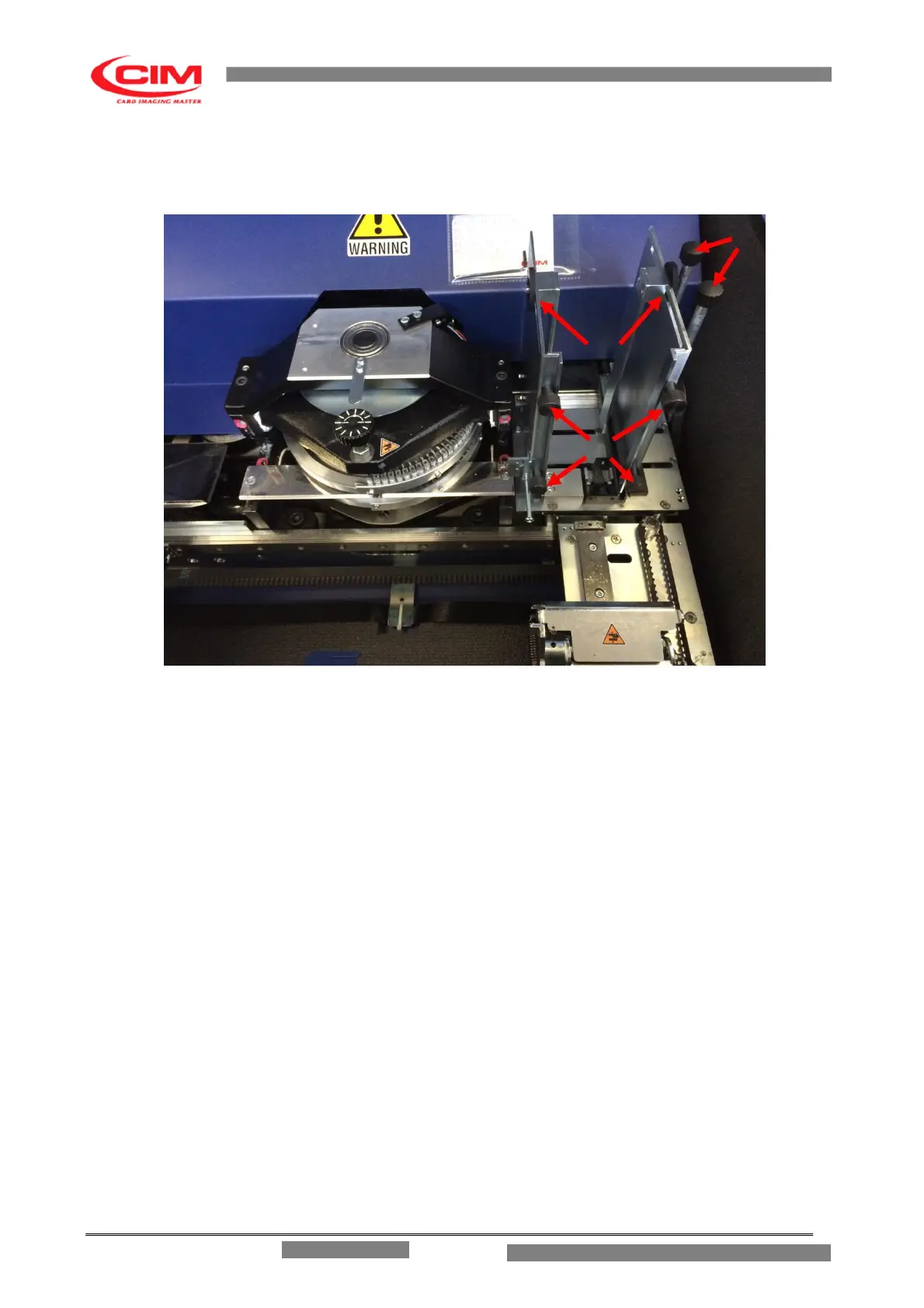
5.1.1 LOADER ADJUSTMENT
1
2
3
Fig. 5.2
The Loader unit for the metallic plates (fig. 5.2) is located on the right side of the Embosser and
can be adjusted to the dimensions of the plates.
To adjust the Loader do as follows:
Open the front cover.
Loosen the black knobs (1) on the right side of the Loader.
Bring the right support close to the plate to be embossed leaving a tolerance of about 1mm
and then tighten the knobs.
Loosen the wing knobs of the rear supports (2), slide them to a distance of about 5mm
from the plate and tighten the knobs.
Loosen the four knobs (3) to adjust the gate height. Pull the plate towards the outside, set
the gates less than 0.5mm higher and tighten the knobs. Adjust as necessary to prevent a
second plate being fed along with the first plate.
ME 1500 – Operators Manual



 To Next Page