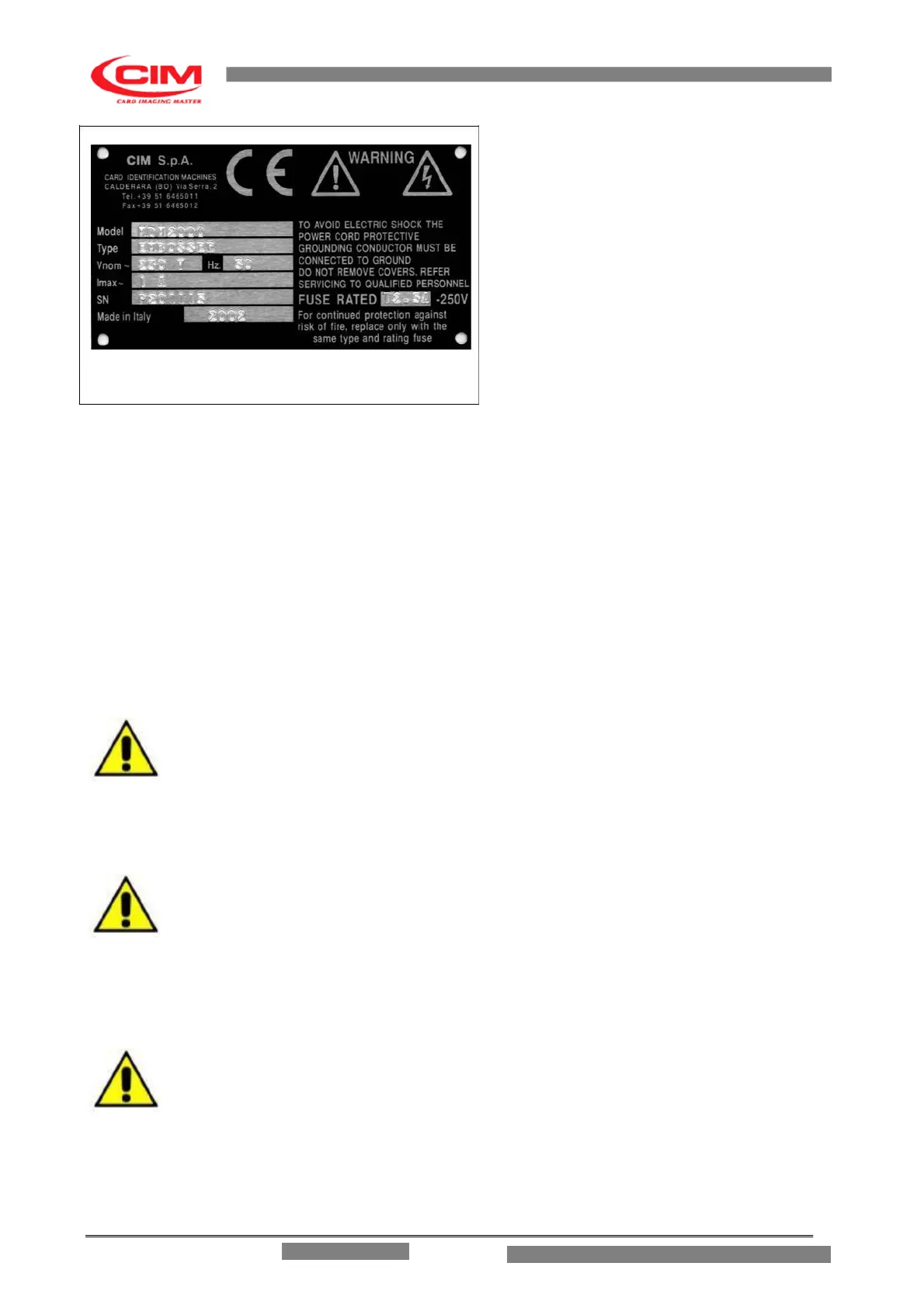
- The identification plate attached to rear panel
contains information about the serial number,
the type of the machine, the necessary
power supply and the absorbed current.
- Before switching the machine on be sure that all
the cables have been connected correctly and
that the local power supply corresponds to that
stated on the plate. The plate layout is as
follows (ref. figure 3.4).
FIG 3.4
After the Trade name the plate has 6 embossed fields as shown below:
Model:
Type:
Vnom:
Hz:
Imax:
SN:
Machine model
MachineType
AC Power
Frequency
Max Current
Serial Number
- If the voltage of the supplid power should exceed a 20% increase of the base voltage, the safety fast-blow
fuses could open. In order to substitute it take a flat blade screw driver, remove the power plug and place
the blade in the notch at the bottom of the plug entrance just above the signed area for the fuse.
Gently lever the Fuse Block until it can be removed by hand.
REPLACE ONLY WITH FUSE OF THE SAME TYPE AND RATING
- In order to guarantee a correct functioning of the machine and offer a valid safety level to the operator the
machine must be earthed. Please ensure that the Embosser is connected to a power supply that has a
good earthing and that the computer is also connected to the same line.
WARNING! USE ONLY LISTED DETACHABLE POWER SUPPLY CORD NOT EXCEEDING
4.6M LENGHT, 18 AWG RATED 10A PROVIDED WITH EARTH PROTECTIVE
CONDUCTOR.
- The service lock enables the working mode for the Technician and should be used only by those specialized
persons who have been authorized to deal with the maintenance and reparations. Connect
the appropriate cable with the usb plug to usb socket of the computer and verify the
connection on the pc’s device manager to the virtual serial port, in order to report the correct
information when configuring the Software.
NOTE: CONNECT THIS CABLE WHEN THE EMBOSSER HAS BEEN SWITCHED OFF.
3.5 SWITCHING ON AND CONTROLLING THE DISPLAY
ME 1500 – Operators Manual



 To Next Page