8-9
Cisco TelePresence System 3000
OL-14521-01
Chapter 8 Routing Power and Signal Cables
Power Requirements for the Cisco TelePresence 3000
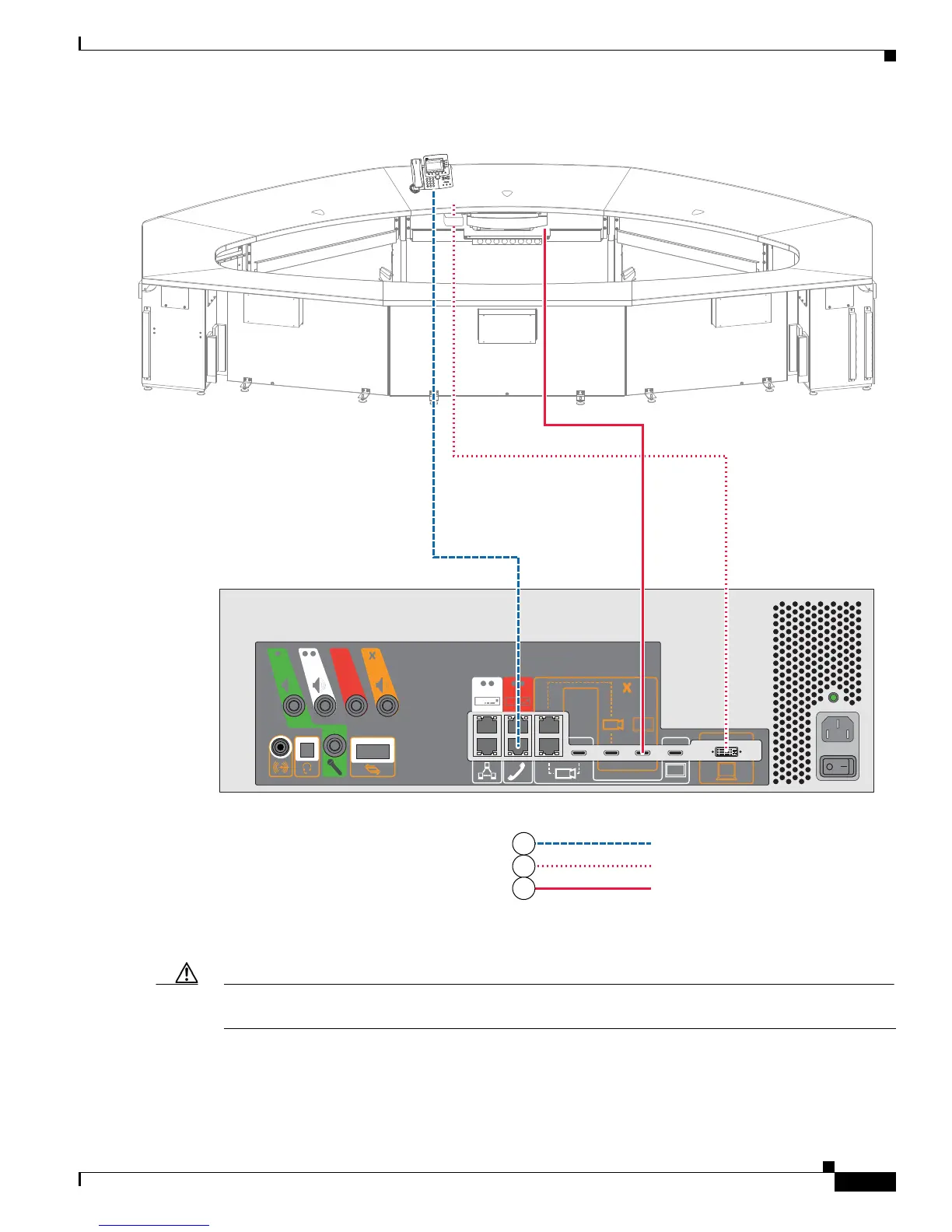
Figure 8-7 Cabling the Cisco Unified IP Phone, DVI-to-VGA, and Projector HD Video Cables
Step 8 Connect the microphones to the microphone cables; then, connect the microphone cables to the codec
and audio/video extension unit.
Caution Perform the following steps to prevent damage from electrostatic discharge (ESD) to the microphone,
audio/video extension unit, or codec:
a. Discharge each microphone cable by touching the metal cable-connector to the codec or audio/video
extension unit cable as shown in Figure 8-8.
b. Hold the cable connector to the codec or audio/video extension unit cable for 3 seconds.
IP Phone Signal
VGA Peripheral
Projector HD Video to Codec
204168
TelePresence
3
DEF
6
M
NO
9
WXY
Z
#
2
A
BC
5
J
K
L
8
T
UV
0
OP
E
R
1
4
G
HI
7
P
Q
RS
C
IS
C
O I
P P
HO
NE
79
7
0
6
4
2



 To Next Page