3-4
Cisco Wide Area Virtualization Engine 7541, 7571, and 8541 Hardware Installation Guide
Chapter 3 Installing the WAVE-7541, WAVE-7571, and WAVE-8541
Rack Mounting and Cabling the WAVE-7541, WAVE-7571, and WAVE-8541
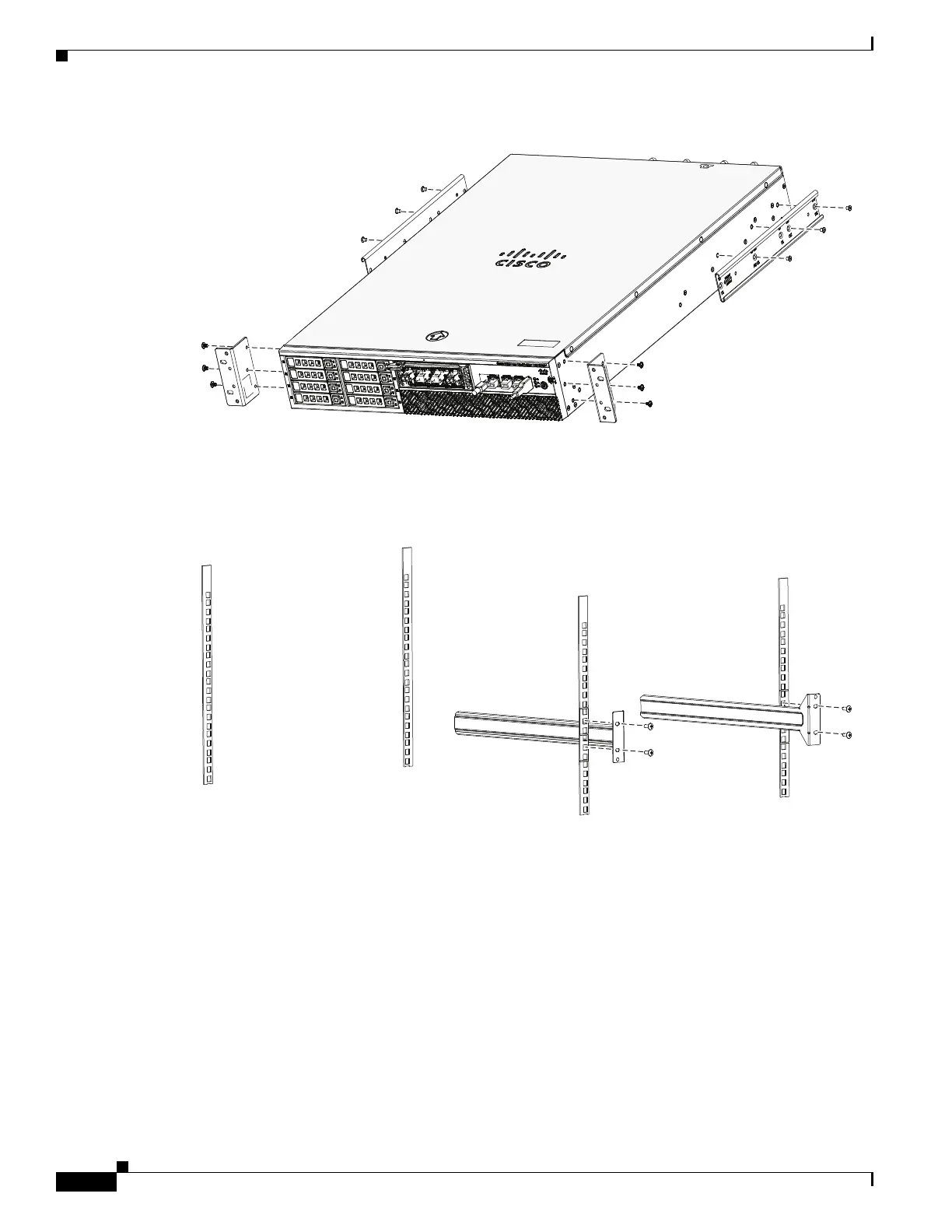
Figure 3-1 Attaching the Brackets
Step 4
Attach the rear mount bracket holders (item #3 in Table 3-1) to the rear rack posts using four appropriate
rack screws (item #6 or #7 in Table 3-1). (see Figure 3-2)
Figure 3-2 Attaching Rear Rack Mount to the Rack
Step 5 Insert the chassis between the mounting posts and secure (see Figure 3-3):
a. Insert the chassis into the rack with the rear rack mount holders sliding into the rear rack mount
brackets.
b. Align the mounting holes in the front brackets with the mounting holes in the equipment rack.
c. Secure the chassis using four (two on each side) rack screws (item #6 or #7 in Table 3-1) through
the holes in the front brackets and into the threaded holes in the mounting post.
330146



 To Next Page