3-5
Cisco Wide Area Virtualization Engine 7541, 7571, and 8541 Hardware Installation Guide
Chapter 3 Installing the WAVE-7541, WAVE-7571, and WAVE-8541
Rack Mounting and Cabling the WAVE-7541, WAVE-7571, and WAVE-8541
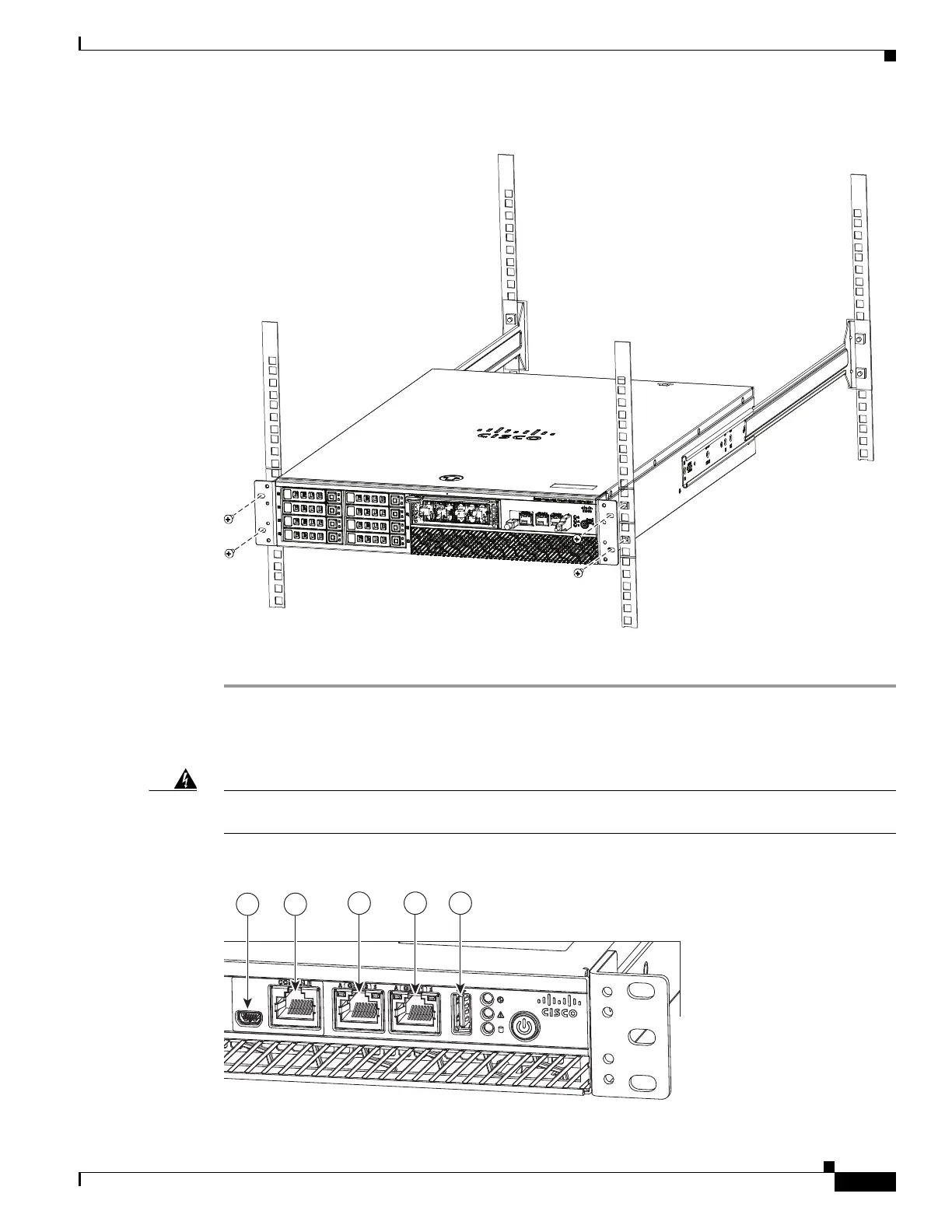
Figure 3-3 Rack-Mounting the Chassis
Step 6
Verify that the chassis is securely installed in the rack.
Use the following information (see Figure 3-4) when connecting peripheral cables to the WAVE
appliance.
Warning
To reduce the risk of electric shock, fire, or damage to the equipment, do not plug telephone or
telecommunications connectors into RJ-45 connectors.
Figure 3-4 Cable Connections—Front
330518



 To Next Page