4-6
Cisco Wide Area Virtualization Engine 7541, 7571, and 8541 Hardware Installation Guide
Chapter 4 Installing Hardware Options for the WAVE-7541, WAVE-7571, and WAVE-8541
Replacing a Power Supply
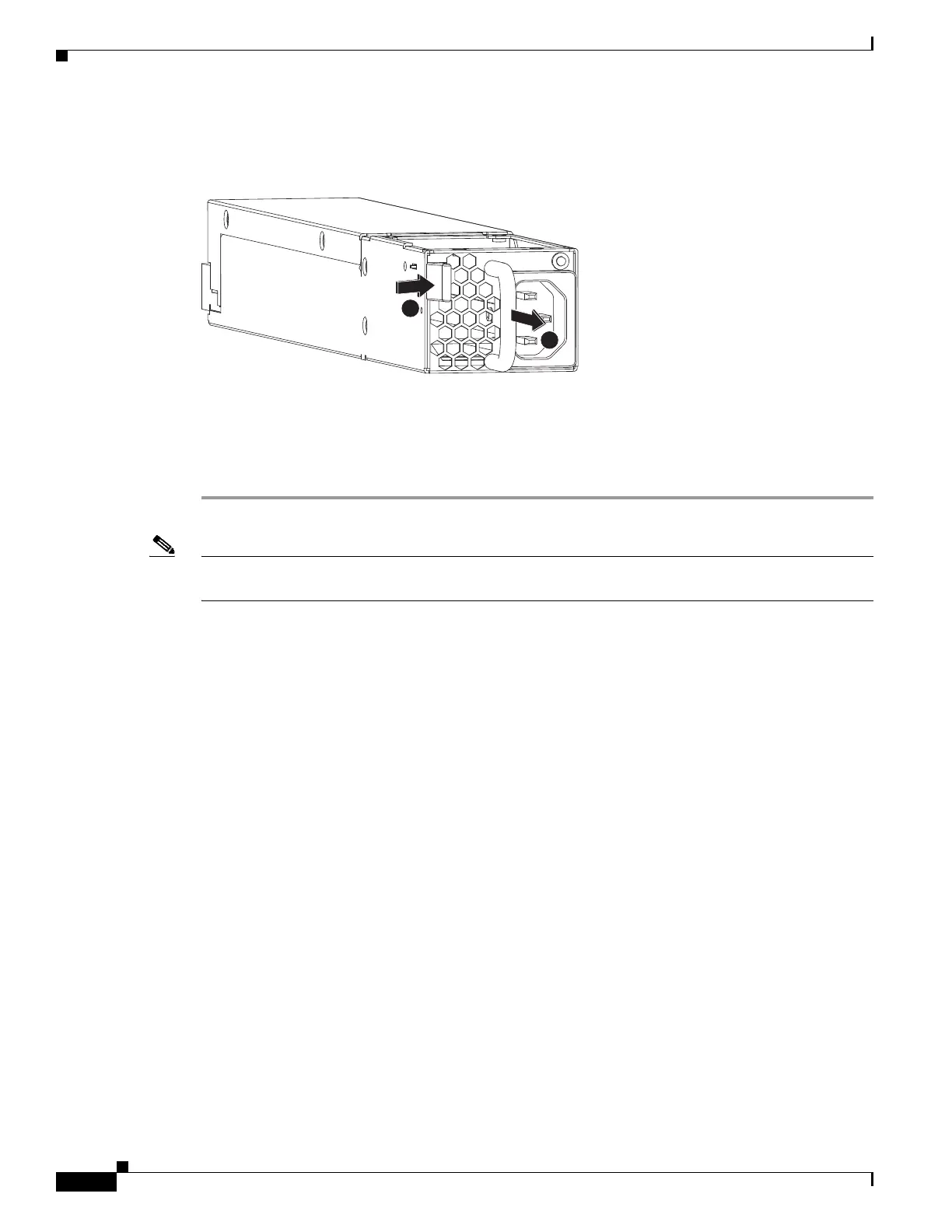
Step 3 Disengage the latch and pull the power supply out by the handle. (See Figure 4-4).
Figure 4-4 Power Supply Assembly
Step 4
Within one minute, insert the new power supply with the surface marked “TOP” facing up and verify
that the latch is engaged.
Step 5 Insert the power cord into the replacement power supply.
Step 6 Check the power LED to verify that the new power supply is receiving power.
Note If a power supply alarm occurs and you power down the WAVE appliance to replace the power supply,
you must use the clear bmc event-log global configuration command and then reboot to clear the alarm.
246555
1
2



 To Next Page