Appendix A: Flex plan - How to order licenses via Product Upgrade Tool (PUT)
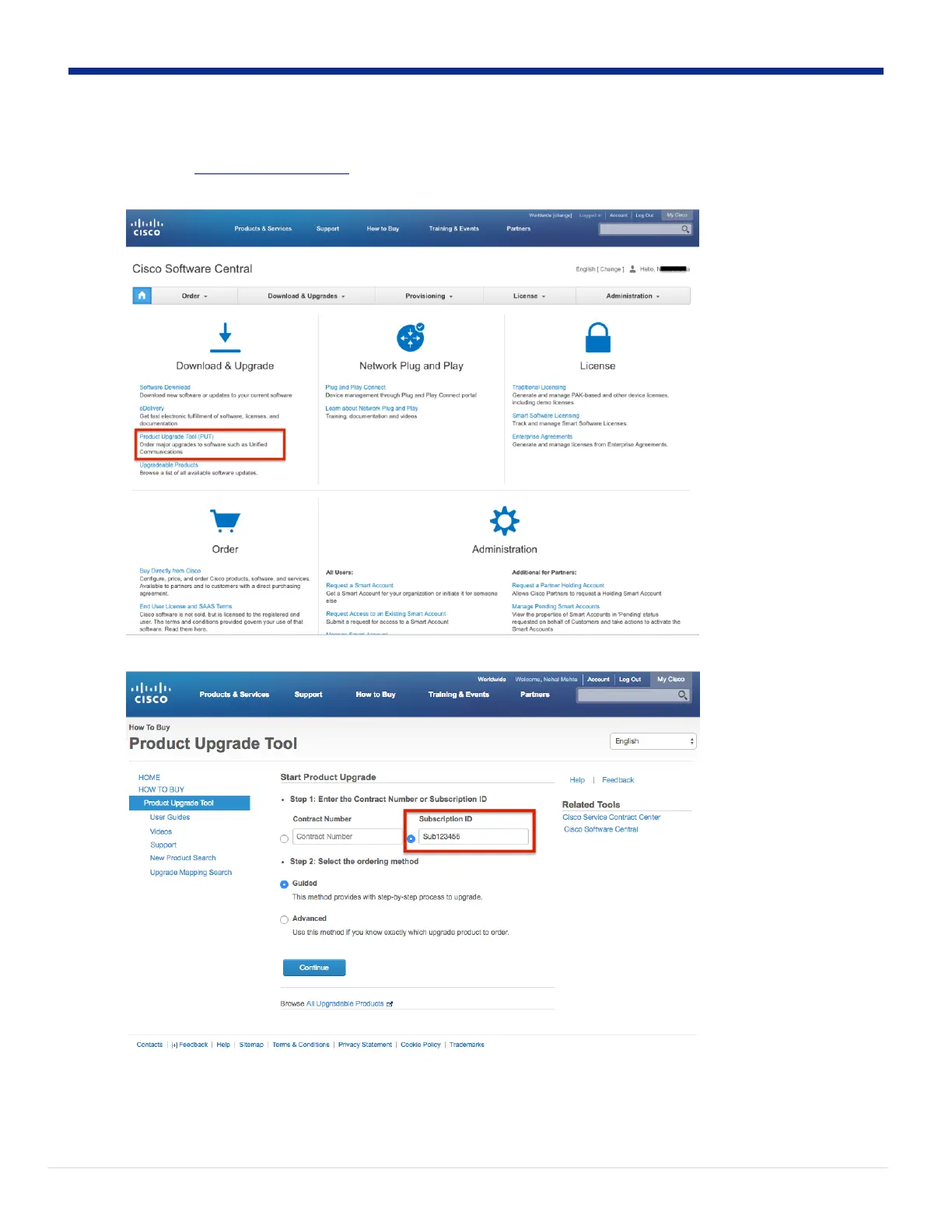
1. Navigate to https://software.cisco.com.
2. Login with your cisco.com account that has access to your Flex subscription.
3. Click on “Product Upgrade Tool (PUT)” link in the “Download & Upgrade” section.
4. Enter your Subscription ID and choose Guided or Advanced option for your order.
• Guided method
i. Select “Firmware Migration” under the Product Group list.


 To Next Page
 Loading...