EasyManua.ls Logo

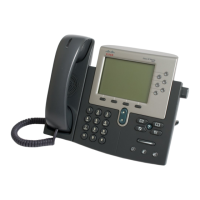
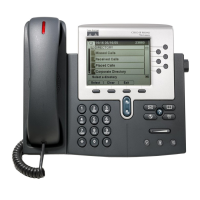
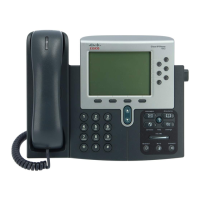
Cisco 7965G - User Manual

Cisco 7965G
94 pages
Print Icon
To Next Page IconTo Next Page
Loading...
Americas Headquarters
Cisco Systems, Inc.
170 West Tasman Drive
San Jose, CA 95134-1706
USA
http://www.cisco.com
Tel: 408 526-4000
800 553-NETS (6387)
Fax: 408 527-0883
Cisco Unified IP Phone 7965G and
7945G for Cisco
Unified
Communications Manager 6.0
(SCCP
and SIP)
INCLUDING LICENSE AND WARRANTY

Table of Contents

Other manuals for Cisco 7965G

Questions and Answers

  • C
    Collin BaileySep 3, 2025
    What to do if the Settings button is unresponsive on my Cisco IP Phone?
    • W
      Wendy GonzalezSep 3, 2025
      If the Settings button is unresponsive on your Cisco IP Phone, your system administrator might have disabled it on your phone.
  • K
    Kristi MeyerSep 2, 2025
    Why does CallBack fail on my Cisco 7965G IP Phone?
    • A
      Audrey MartinezSep 2, 2025
      CallBack may fail on your Cisco IP Phone if the other party has call forwarding enabled.
  • N
    Nicole BellAug 31, 2025
    How to display missing softkeys on Cisco 7965G?
    • H
      Heidi BeckAug 31, 2025
      If the softkey you're looking for doesn't appear on your Cisco IP Phone, try pressing the 'more' button to reveal additional softkeys. Also, ensure you change the line state, such as going off-hook or having a connected call. It's also possible that your phone is not configured to support the feature associated with that softkey.
  • W
    Wanda WilliamsAug 29, 2025
    Why does Barge fail on my Cisco 7965G IP Phone with a fast busy tone?
    • C
      Corey StokesAug 29, 2025
      Barge may fail on your Cisco IP Phone, resulting in a fast busy tone, if the phone you are using is not configured for encryption while attempting to barge an encrypted call.
  • M
    Michael BakerAug 28, 2025
    Why am I disconnected from a call joined using Barge on my Cisco 7965G?
    • A
      abigailgarciaAug 28, 2025
      If you are disconnected from a call joined via Barge on your Cisco IP Phone, it's likely because the call was put on hold, transferred, or turned into a conference call.
  • P
    petersonaudreyAug 26, 2025
    What to do if Cisco 7965G IP Phone is unable to obtain IP address?
    • J
      Jeremy AvilaAug 27, 2025
      If your Cisco Unified IP Phone can't obtain an IP address, ensure that the network or VLAN the phone is connected to has access to the DHCP server. Also, confirm that the switch port is enabled.
  • R
    Robert WoodAug 25, 2025
    How to fix a Cisco 7965G that does not go through its normal startup process?
    • N
      Norman NorrisAug 25, 2025
      If your Cisco Unified IP Phone isn't starting up normally, the issue could stem from faulty cables, bad connections, network outages, or a lack of power. Begin by verifying that the network port is functional and that the phone is receiving power. If problems persist, try powering up the phone with the handset off-hook. As a last resort, perform a factory reset of the phone.
  • J
    Jimmy MaddenAug 23, 2025
    Why does my Cisco IP Phone keep resetting unexpectedly?
    • M
      Michael KellyAug 23, 2025
      If your Cisco Unified IP Phone resets unexpectedly, first verify that the Ethernet connection is up, as a stable network and Cisco Unified Communications Manager connection should prevent this. Check if the port or switch the phone is connected to is down. Also, eliminate any DNS or other connectivity errors.

Cisco 7965G Specifications

General IconGeneral
Protocol SupportSIP, SCCP
Weight3.5 lbs (1.6 kg)
Ethernet10/100 Mbps
PowerIEEE 802.3af Power over Ethernet (PoE)
Expansion Module SupportSupports up to two Cisco Unified IP Phone Expansion Modules
SpeakerphoneFull-duplex speakerphone
Lines6 lines
CodecsG.711, G.729a, iLBC

Related product manuals