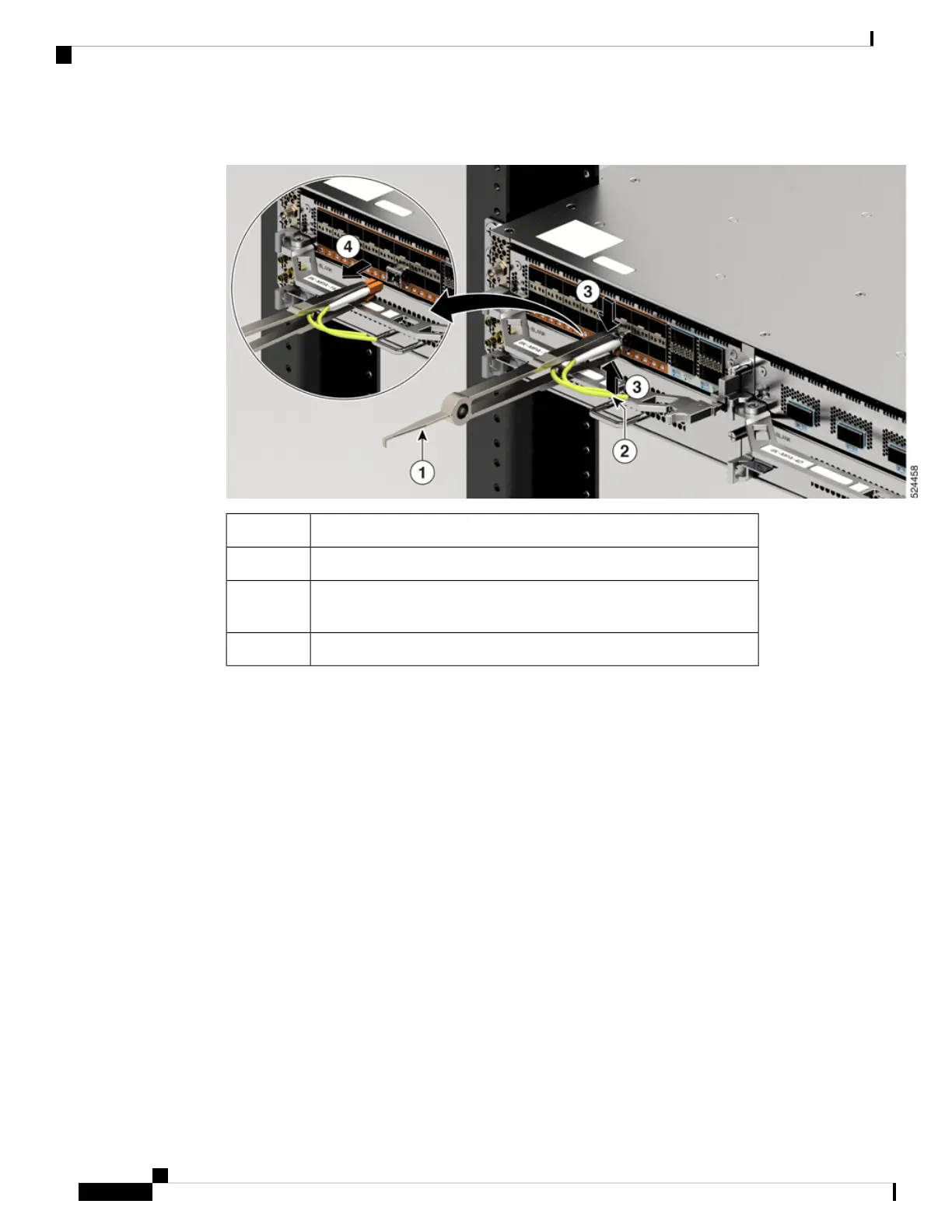
Figure 61: Remove the optical cable from the transceiver
Front hook1
Optical cable2
Large hook in contact with the transceiver so that the small hook can
squeeze the cable connector
3
Remove the optical cable from the transceiver4
c) Squeeze the tool to press down on the optical cable connector latch (step 3 in the illustration)..
Note
Make sure that the tool does not pinch the optical cable.
d) Pull the cable from the transceiver (step 4 in the illustration).
Step 2 Remove the transceiver from the port:
a) Hold the tool with the single hook facing upwards, as shown in the illustration.
Hardware Installation Guide for Cisco 8700 Series Routers
80
Connect Router to the Network
Using the Optical Transceiver Extraction Tool



 To Next Page