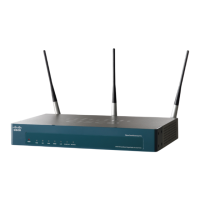
Cisco AP541N Dual-band Single-radio Access Point Quick Start Guide 13
REVIEW DRAFT — CISCO CONFIDENTIAL
Returning the Cisco AP541N
to the Factory Default
Settings
To use the Reset button to reboot or reset the access point, do the
following:
•To reboot the access point, press the Reset button for less than 10
seconds.
• To restore the access point to the factory default settings:
1. Disconnect the access point from the network or disable all DHCP
servers on your network.
2. With the power on, press-and-hold the Reset button for more than
10 seconds.




 To Next Page