Before you begin
If the chassis is shipped pre-installed in a rack, the rear mounting brackets are already attached.
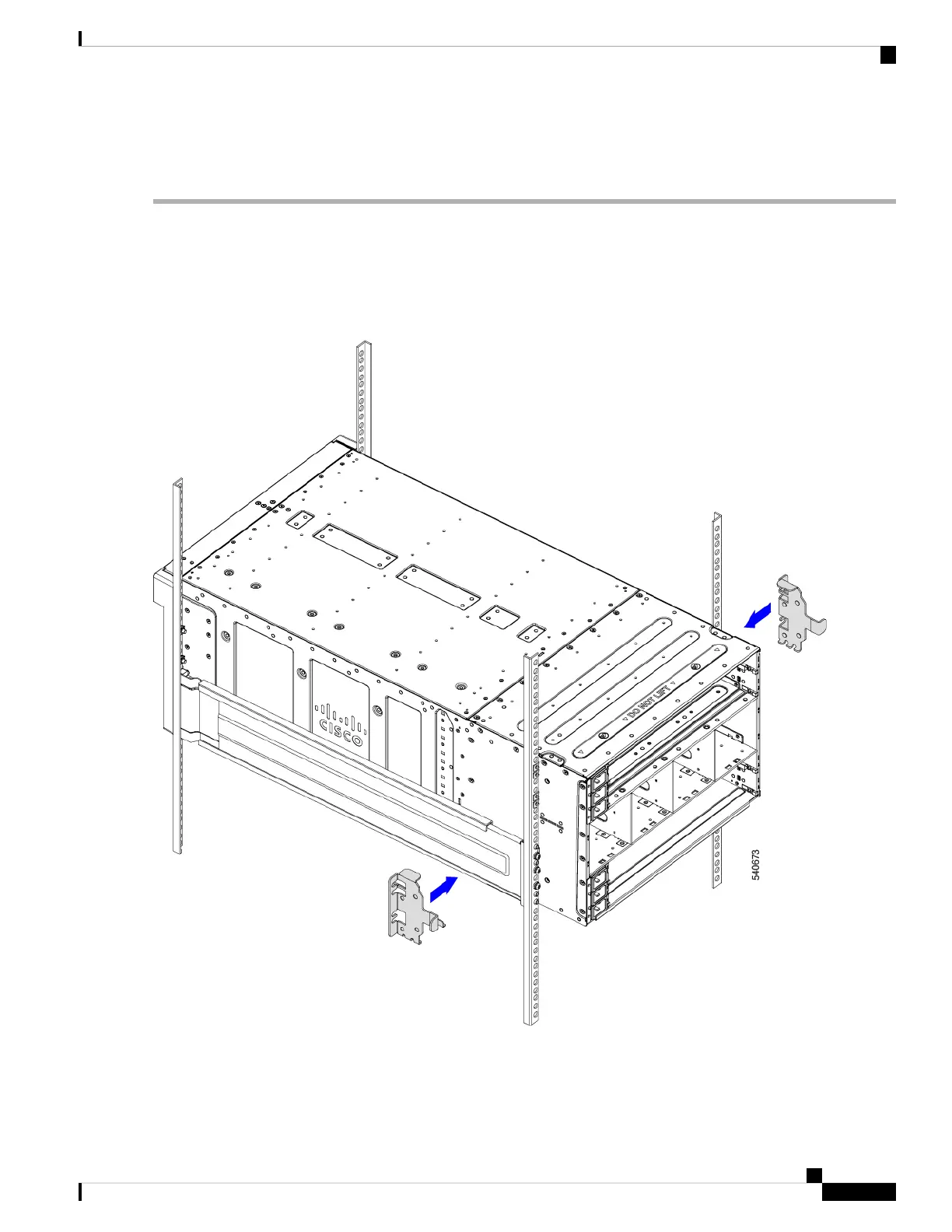
Step 1 At the rear of the chassis, use your hands to install each rear mounting bracket, which has a folded tab at the top and a
folded metal hook at the bottom.
a) Slide the hook the into the cutout in the chassis side wall.
b) Slide each rear mounting bracket until the tab seats into the emboss in the chassis top.
Figure 25: Attaching the Rear Mounting Brackets
Step 2 Holding the rear mounting brackets in place, use the #3 Phillips-head screwdriver to insert the 8 M6 x 20mm screws
through the rear mounting brackets, then tighten the screws to secure the rear of the chassis to the rear of the rack.
Installation
43
Installation
Installing Rear Mounting Brackets, Round-Hole Rack



 To Next Page
 Loading...










