• PMF (Protection Management Frame)— Provides security for the unencrypted 802.11 management
frames. When Security Mode is disabled or WEP, the PMF is set to No PMF and is not editable (Hidden
or Grey).When the security Mode is set to WPA2-xxx, the PMF is Capable by default and is editable.
The following three check box values can be configured for it.
• Not Required
• Capable
• Required
WiFi Alliance requires PMF to be enabled with default setting of Capable. You
may disable it when non-compliant wireless clients experience instability or
connectivity issues.
Note
• Use Global RADIUS Server Settings — By default, each VAP uses the global RADIUS settings that
you define for the WAP device. However, you can configure each VAP to use a different set of RADIUS
servers.
Check this option to use the global RADIUS server settings, or uncheck this option to use a separate
RADIUS server for the VAP and enter the RADIUS server IP address and key in the appropriate fields.
• Server IP Address Type — The IP version that the RADIUS server uses. You can toggle between the
address types to configure the IPv4 and IPv6 global RADIUS address settings, but the WAP device
contacts only the RADIUS server or servers for the address type that you select in this field.
• Server IP Address-1 or Server IPv6 Address-1 — The address for the primary RADIUS server for
this VAP.
• Server IP Address-2 or Server IPv6 Address-2 — Up to three IPv4 and/or IPv6 addresses to use as
the backup RADIUS servers for this VAP. If authentication fails with the primary server, each configured
backup server is tried in sequence.
• Key-1 — The shared secret key for the global RADIUS server. You can use up to 63 standard
alphanumeric and special characters. The key is case sensitive, and you must configure the same key on
the WAP device and on your RADIUS server. The text that you enter is shown as asterisks to prevent
others from seeing the RADIUS key as you type.
• Key-2 — The RADIUS key associated with the configured backup RADIUS servers. The server at Server
IP (IPv6) Address 2 uses Key 2.
• Enable RADIUS Accounting — Tracks and measures the resources a particular user has consumed
such as system time, amount of data transmitted and received, and so on. If you enable RADIUS
accounting, it is enabled for the primary RADIUS server and all backup servers.
• Active Server — Enables the administrative selection of the active RADIUS server, rather than having
the WAP device attempt to contact each configured server in sequence and choose the first server that
is up.
• Broadcast Key Refresh Rate — The interval at which the broadcast (group) key is refreshed for clients
associated with this VAP. The default is 86400 seconds. The valid range is from 0 to 86400 seconds. A
value of 0 indicates that the broadcast key is not refreshed.
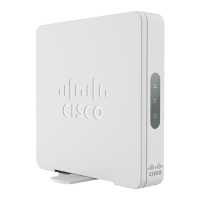
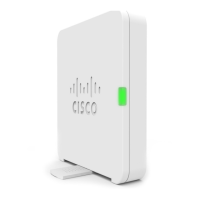
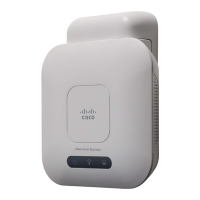
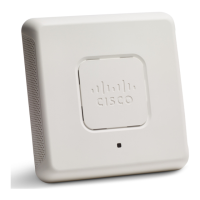
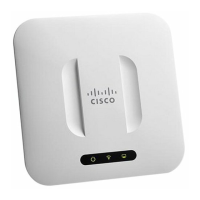
Cisco WAP150 Wireless-AC/N Dual Radio Access Point with PoE / Cisco WAP361 Wireless-AC/N Dual Radio Wall Plate Access Point with PoE
57
Wireless
Configuring Security Settings



 To Next Page
