Getting Started
Phone Features
Cisco SPA300 and SPA500 Series IP Phones with Cisco Unified Communications UC320W 11
1
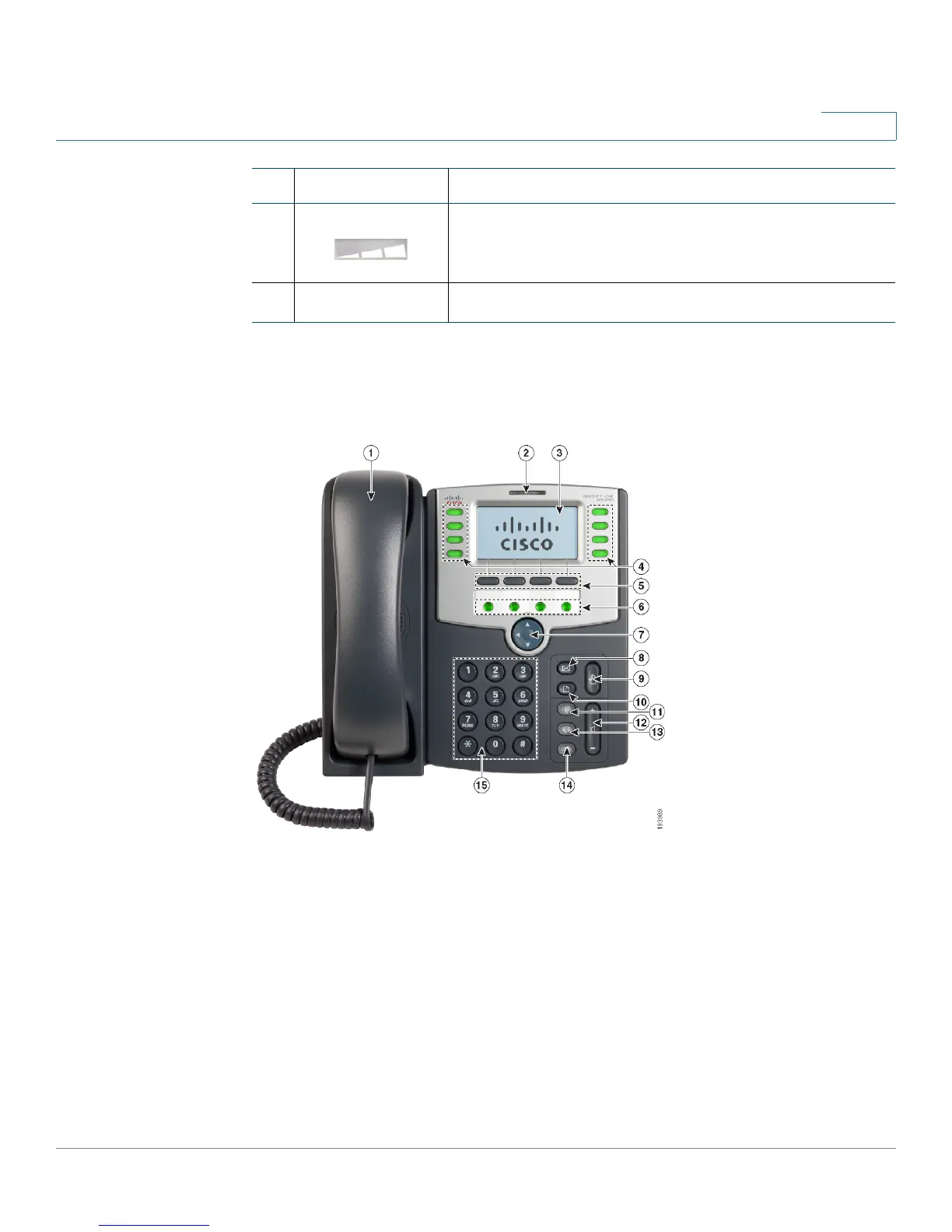
Phone Components of Cisco SPA303 and Cisco SPA500
Series Models
7.
Volume button Press repeatedly to increase the volume of the
handset (when the handset is off the phone) or ringer
volume (when the handset is on the phone).
8.
Keypad May be used to enter numbers.
#Phone Feature Description


 To Next Page