Using Basic Phone Functions
Placing, Answering, and Managing Calls
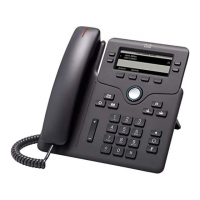
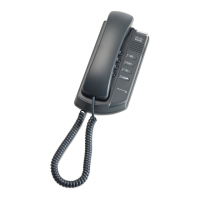
Cisco SPA300 and SPA500 Series IP Phones with Cisco Unified Communications UC320W 31
2
Placing a Call
NOTE For information about dialing options, see Entering and Editing Characters,
page 23.
Task Instructions
Placing a call
1. Choose an audio device.
• Use the handset: Lift it off hook.
• Use the phone speaker: Press .
• Use a headset (not included): Press .
2. Press a line button (optional). If you do not choose
a line button, the first button is used by default.
3. Dial an extension number or an external number.
(See instructions below in this table.)
Note: Your phone system administrator may block
certain dialing patterns or may restrict them to
authorized users. When you dial a blocked pattern,
the input is considered invalid, and the call cannot
be placed. Depending on the system setup, when
you dial a restricted code, the input may be
considered invalid or you may be prompted to enter
a call authorization account code. In this case, a tone
will sound and a message will appear on the screen
(if applicable). Enter your account code followed by
Privileges may vary for each user.
Dialing an external
number
• Dial from a shared FXO (trunk) line: Enter
the phone number, including any long-
distance prefix required by your phone
service. No access code is needed.
• Dial from a personal extension (if allowed):
Enter the access code, such as . Enter the
phone number, including any long-distance
prefix required by your phone service. Check
with your phone administrator for details.


 To Next Page