Getting Started
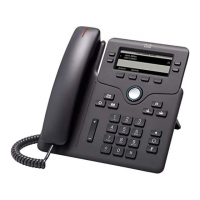
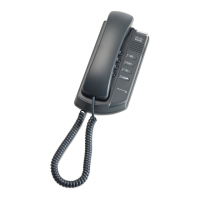
Overview of the Cisco Small Business IP Phones
Cisco SPA300 and SPA500 Series IP Phones with Cisco Unified Communications UC320W 7
1
Overview of the Cisco Small Business IP Phones
The Cisco Small Business IP Phones are full-featured phones that support
communications within your office and with the outside world, whether through
local telephone lines or Voice over IP (VoIP) networks.
• Calling Features: Features include call forwarding, redialing, speed dialing,
call transfers, conference calls, intercom calls, and voicemail access.
Depending on the phone model, you can make and receive calls with the
handset, the built-in speaker, or a compatible third-party headset that you
install separately.
• Networking Features: The Cisco Small Business IP phones connect to the
computer network through Ethernet ports. The Cisco SPA525G/G2 can
connect to a wireless voice network, if available. Most models also have an
additional Ethernet port that you can use to connect a computer to the
network. (Not applicable to the Cisco SPA525G/G2 when used wirelessly.)
• Power: Unlike traditional phones, Cisco Small Business IP phones require a
separate power source. Depending on the phone model, the phone may
receive power from an Ethernet switch on your network or from a power
adapter.
• Care: The Cisco Small Business IP phones are electronic devices that
should not be exposed to excessive heat, sun, cold, or water. To clean the
equipment, use a slightly moistened paper or cloth towel. Do not spray or
pour cleaning solution directly onto the hardware unit.


 To Next Page