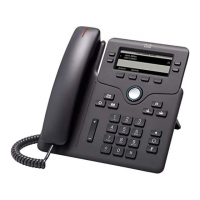
Using an Analog Phone with the Cisco UC320W
Using Star Codes for Special Features on Analog Phones
Cisco SPA300 and SPA500 Series IP Phones with Cisco Unified Communications UC320W 94
A
*87 Disable anonymous call
blocking.
*96 Page an extension or
paging group.
After you enter the star code, a tone plays.
Enter the extension that you want to page.
Note: If a phone is not set up to auto-answer
pages, the call will ring as a normal voice
call.
*98 Perform a blind transfer. During an active call, press the hook flash
button to place the call on hold. When you
hear a long tone, enter the star code. A short
tone plays. Enter the number where you
want to transfer the call.
Note: This feature works only if the analog
phone has a hook flash button.
Enter: To do this: Notes


 To Next Page