12-5
Cisco Catalyst Blade Switch 3020 for HP Software Configuration Guide
OL-8915-03
Chapter 12 Configuring VTP
Understanding VTP
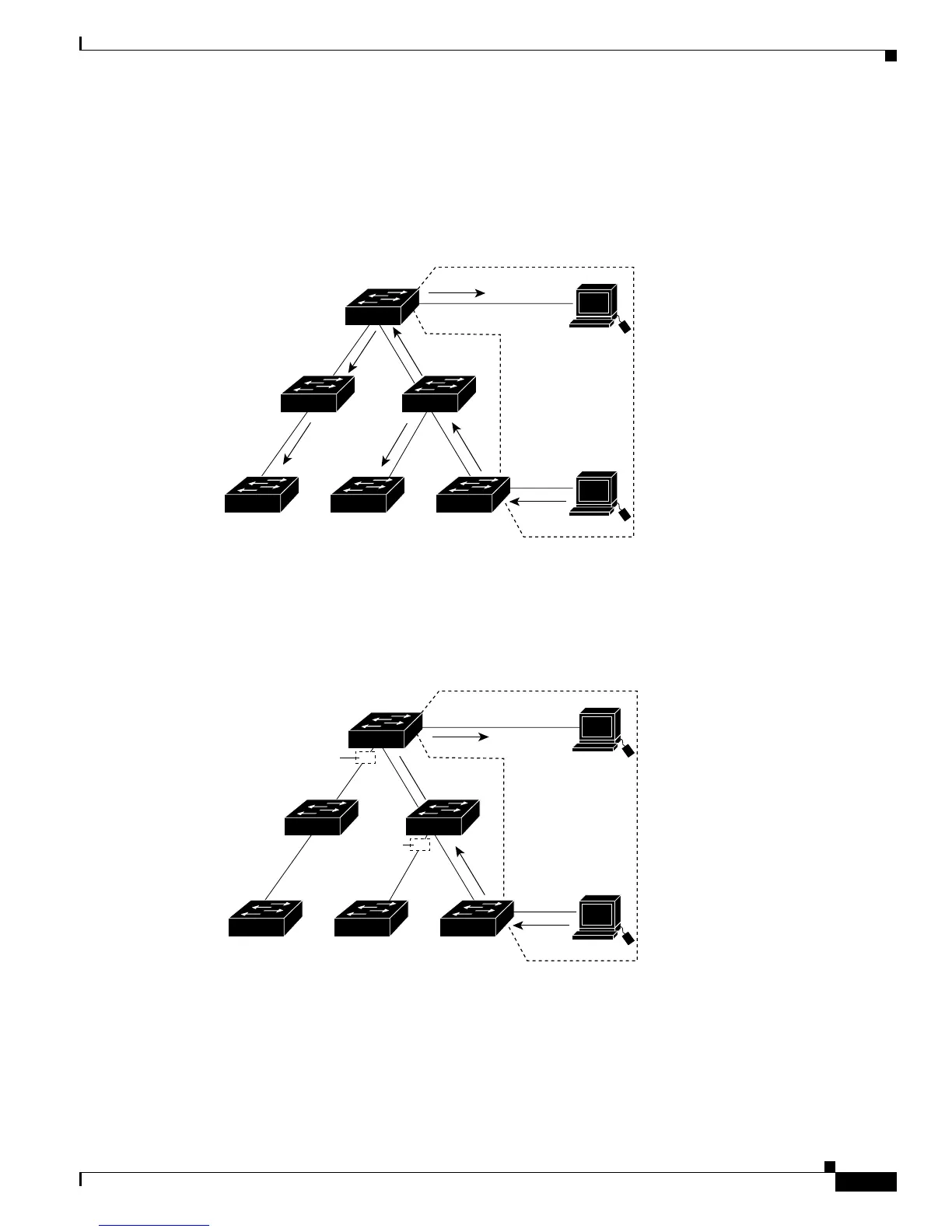
Figure 12-1 shows a switched network without VTP pruning enabled. Port 1 on Switch A and Port 2 on
Switch D are assigned to the Red VLAN. If a broadcast is sent from the host connected to Switch A,
Switch A floods the broadcast and every switch in the network receives it, even though Switches C, E,
and F have no ports in the Red VLAN.
Figure 12-1 Flooding Traffic without VTP Pruning
Figure 12-2 shows a switched network with VTP pruning enabled. The broadcast traffic from Switch A
is not forwarded to Switches C, E, and F because traffic for the Red VLAN has been pruned on the links
shown (Port 5 on Switch B and Port 4 on Switch D).
Figure 12-2 Optimized Flooded Traffic with VTP Pruning
Enabling VTP pruning on a VTP server enables pruning for the entire management domain. Making
VLANs pruning-eligible or pruning-ineligible affects pruning eligibility for those VLANs on that trunk
only (not on all switches in the VTP domain).
Switch D
Switch E
Switch CSwitch F Switch A
Switch B
Port 1
Port 2
Red
VLAN
89240
Switch D
Switch E
Switch CSwitch F Switch A
Switch B
Port 1
Port 2
Red
VLAN
89241
Port
4
Flooded traffic
is pruned.
Port
5
Flooded traffic
is pruned.













 To Next Page