33-8
Cisco Catalyst Blade Switch 3020 for HP Software Configuration Guide
OL-8915-03
Chapter 33 Configuring EtherChannels and Layer 2 Trunk Failover
Configuring EtherChannels
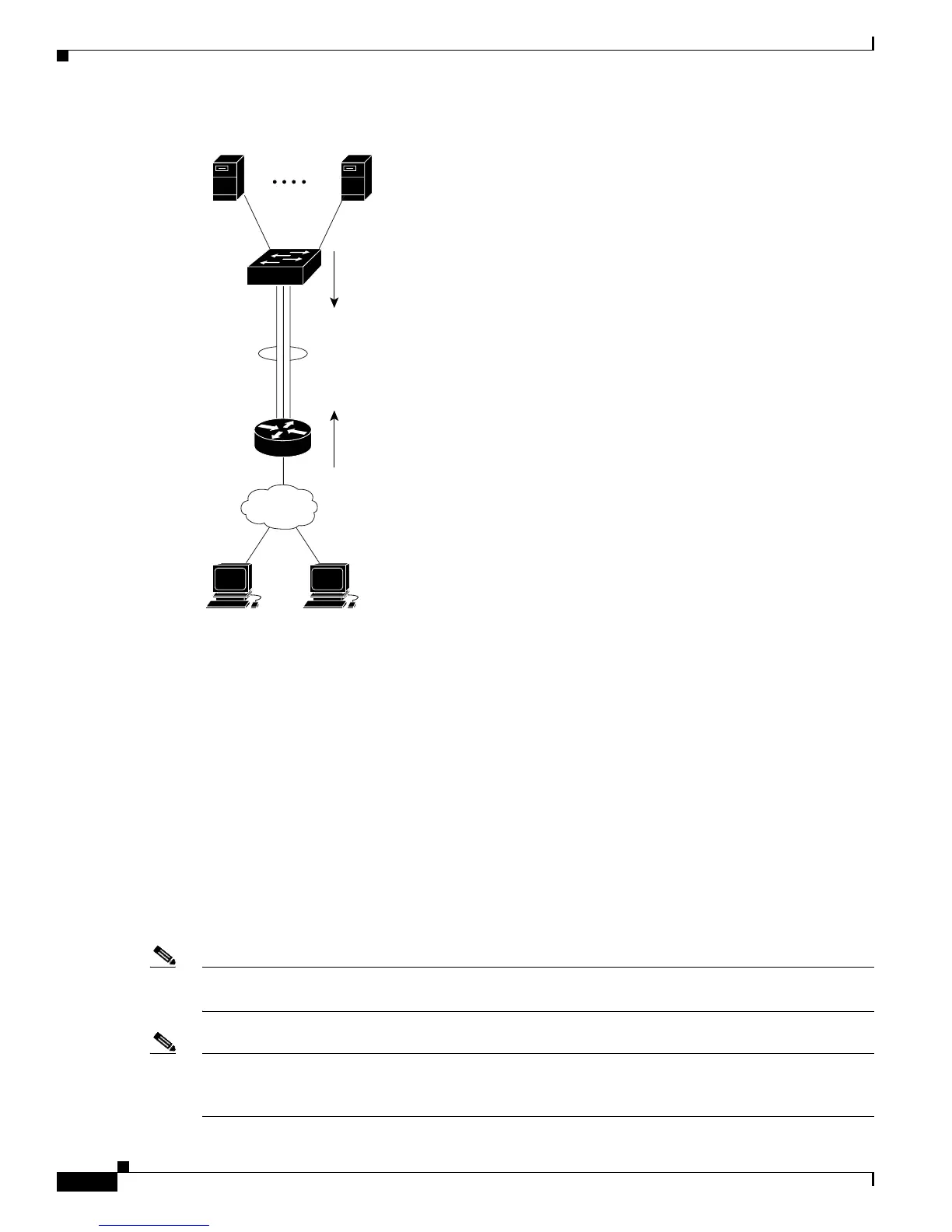
Figure 33-3 Load Distribution and Forwarding Methods
Configuring EtherChannels
These sections contain this configuration information:
• Default EtherChannel Configuration, page 33-9
• EtherChannel Configuration Guidelines, page 33-9
• Configuring Layer 2 EtherChannels, page 33-10 (required)
• Configuring Layer 3 EtherChannels, page 33-12 (required)
• Configuring EtherChannel Load Balancing, page 33-15 (optional)
• Configuring the PAgP Learn Method and Priority, page 33-16 (optional)
• Configuring LACP Hot-Standby Ports, page 33-17 (optional)
Note Make sure that the ports are correctly configured. For more information, see the “EtherChannel
Configuration Guidelines” section on page 33-9.
Note After you configure an EtherChannel, configuration changes applied to the port-channel interface apply
to all the physical ports assigned to the port-channel interface, and configuration changes applied to the
physical port affect only the port where you apply the configuration.
119705
Cisco router
with destination-based
forwarding enabled
EtherChannel
Blade Switch with
source-based
forwarding enabled
Blade
Server 1
Blade
Server 16
Client
Client













 To Next Page