18-2
Cisco Catalyst Blade Switch 3020 for HP Software Configuration Guide
OL-8915-03
Chapter 18 Configuring Optional Spanning-Tree Features
Understanding Optional Spanning-Tree Features
Understanding Port Fast
Port Fast immediately brings an interface configured as an access or trunk port to the forwarding state
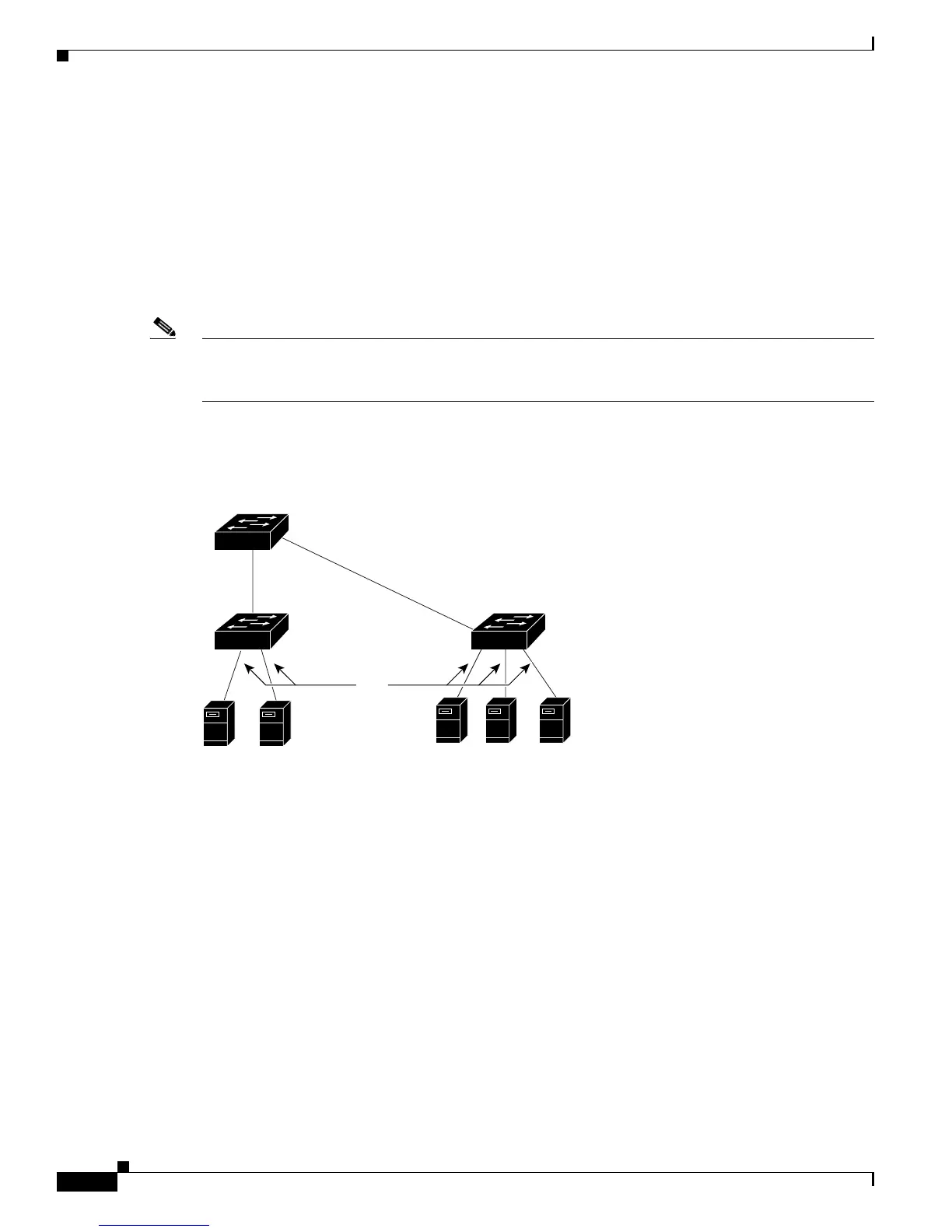
from a blocking state, bypassing the listening and learning states. In Figure 18-1, Port Fast is configured
on the interfaces that are connected to blade servers. The devices can immediately connect to the
network, rather than waiting for the spanning tree to converge.
Interfaces connected to a blade server should not receive bridge protocol data units (BPDUs). An
interface with Port Fast enabled goes through the normal cycle of spanning-tree status changes when the
switch is restarted.
Note Because the purpose of Port Fast is to minimize the time interfaces must wait for spanning-tree to
converge, it is effective only when used on interfaces connected to end stations. If you enable Port Fast
on an interface connecting to another switch, you risk creating a spanning-tree loop.
You can enable this feature by using the spanning-tree portfast interface configuration or the
spanning-tree portfast default global configuration command.
Figure 18-1 Port Fast-Enabled Interfaces
Understanding BPDU Guard
The BPDU guard feature can be globally enabled on the switch or can be enabled per port, but the feature
operates with some differences.
At the global level, you enable BPDU guard on Port Fast-enabled ports by using the spanning-tree
portfast bpduguard default global configuration command. Spanning tree shuts down ports that are in
a Port Fast-operational state if any BPDU is received on them. In a valid configuration, Port Fast-enabled
ports do not receive BPDUs. Receiving a BPDU on a Port Fast-enabled port means an invalid
configuration, such as the connection of an unauthorized device, and the BPDU guard feature puts the
port in the error-disabled state. When this happens, the switch shuts down the entire port on which the
violation occurred.
To prevent the port from shutting down, you can use the errdisable detect cause bpduguard shutdown
vlan global configuration command to shut down just the offending VLAN on the port where the
violation occurred.
Blade ServersBlade Servers
Port
Fast-enabled
ports
119646
Blade Switch













 To Next Page