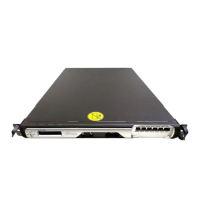
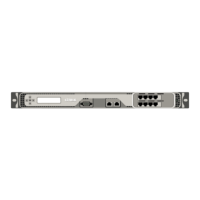
Citrix ADC MPX
If the script is not present, the installed ADC soware image does not support the firmware up‑
grade.
3. The following scripts must be present in the /var/tmp/Fortville_Silicom_Intel/scripts
directory:
• fortville_fw_update
• fortville_fw_update_intel_1
• fortville_fw_update_silicom_1
• fortville_fw_update_state_machine
• fortville_fw_update_subr
If these scripts are not present, at the command prompt, run installns to install these files.
The files are included with all ADC soware that supports this firmware upgrade.
Supported Platforms
The firmware upgrade scripts are supported on all Citrix ADC MPX platforms containing Fortville NICs.
The scripts verify if the appliance contains Fortville NICs and exit if none is found.
Note: These firmware upgrade scripts are not supported on the Citrix ADC SDX platform.
The following MPX appliances and corresponding zero‑capacity appliances contain Fortville NICs:
• MPX 8900
• MPX 8900 FIPS certified appliance
• MPX 9100
• MPX 14000‑40C
• MPX 14000‑40S
• MPX 14000‑40G
• MPX 15000
• MPX 15000‑50G
• MPX 15000‑50G FIPS certified appliance
• MPX 16000
• MPX 25000‑40G
• MPX 25000T
• MPX 25000TA
• MPX 25000‑40G
• MPX 26000
• MPX 26000‑50S
• T1300
• T1310
© 1999–2023 Cloud Soware Group, Inc. All rights reserved. 207


 To Next Page