Citrix ADC MPX
use a pen, pencil, or other pointed object. The NMI Button is also available remotely over the
network in the LOM GUI, in the Remote Control menu. For more information about the lights
out management port of the appliance, see Lights out management port of the Citrix ADC MPX
appliance.
Citrix ADC MPX 14000 FIPS
September 19, 2022
Note
For information about configuring a Citrix ADC MPX 14030/14060/14080 FIPS appliance, see Con‑
figuring the MPX 14000 FIPS appliance topic.
The Citrix ADC models MPX 14030 FIPS, MPX 14060 FIPS, and MPX 14080 FIPS are 2U appliances. Each
model has two 6‑core processors, 64 GB of memory, sixteen 10G SFP+ ports (16x10G SFP+).
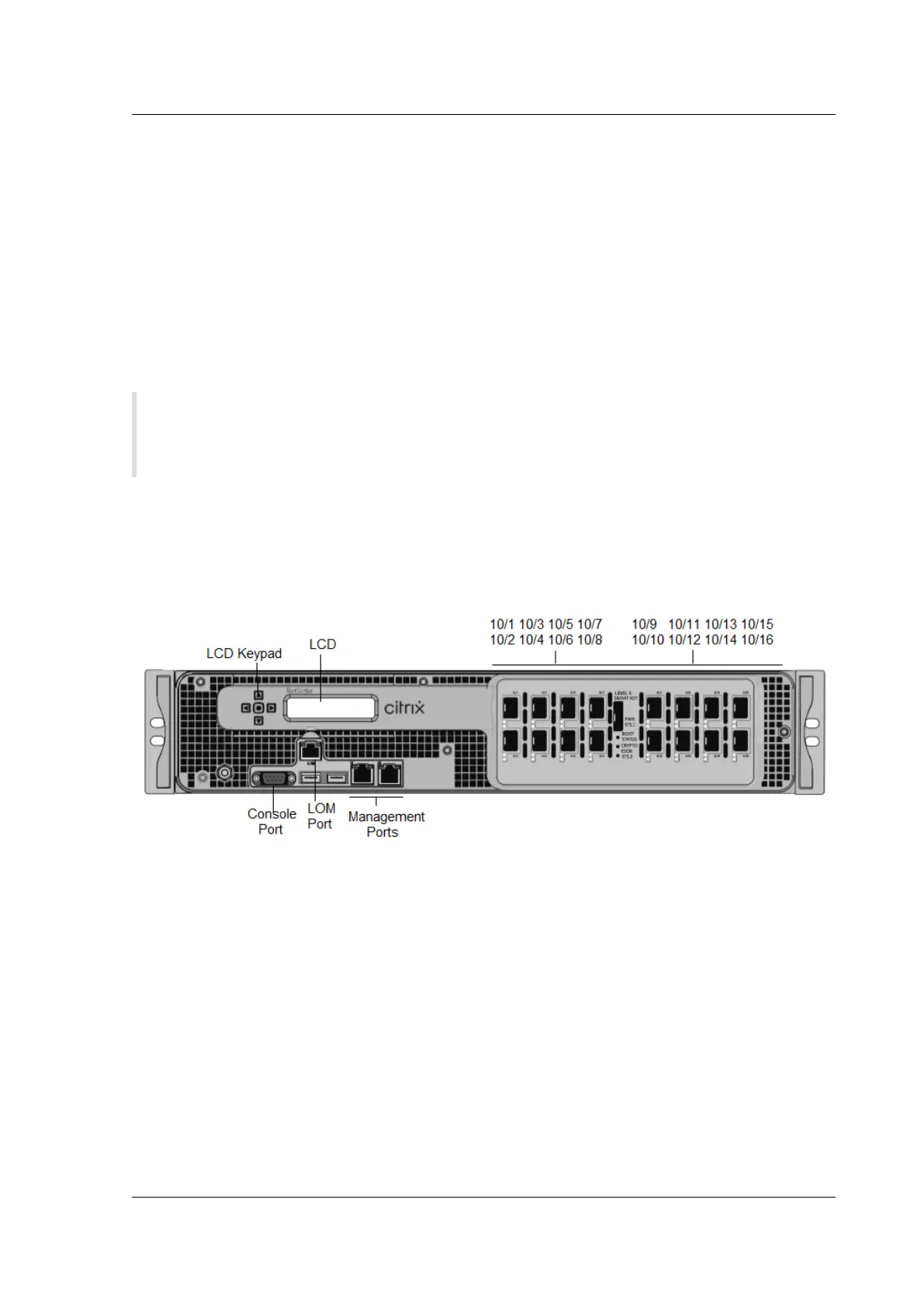
The following figure shows the front panel of the MPX 14030/14060/14080 FIPS appliances.
Figure 1. Citrix ADC MPX 14030/14060/14080 FIPS, front panel
The Citrix ADC MPX 14030/14060/14080 FIPS appliances have the following ports:
• RS232 serial Console Port.
• 10/100Base‑T copper Ethernet Port (RJ45), also called the LOM port. You can use this port to
remotely monitor and manage the appliance independently of the Citrix ADC soware.
• Two 10/100/1000Base‑T copper EthernetManagement Ports(RJ45), numbered 0/1 and 0/2 from
le to right. These ports are used to connect directly to the appliance for system administration
functions.
• Sixteen 10G SFP+ ports.
• USB port (reserved for a future release).
Notes:
© 1999–2023 Cloud Soware Group, Inc. All rights reserved. 59



 To Next Page