Citrix ADC MPX
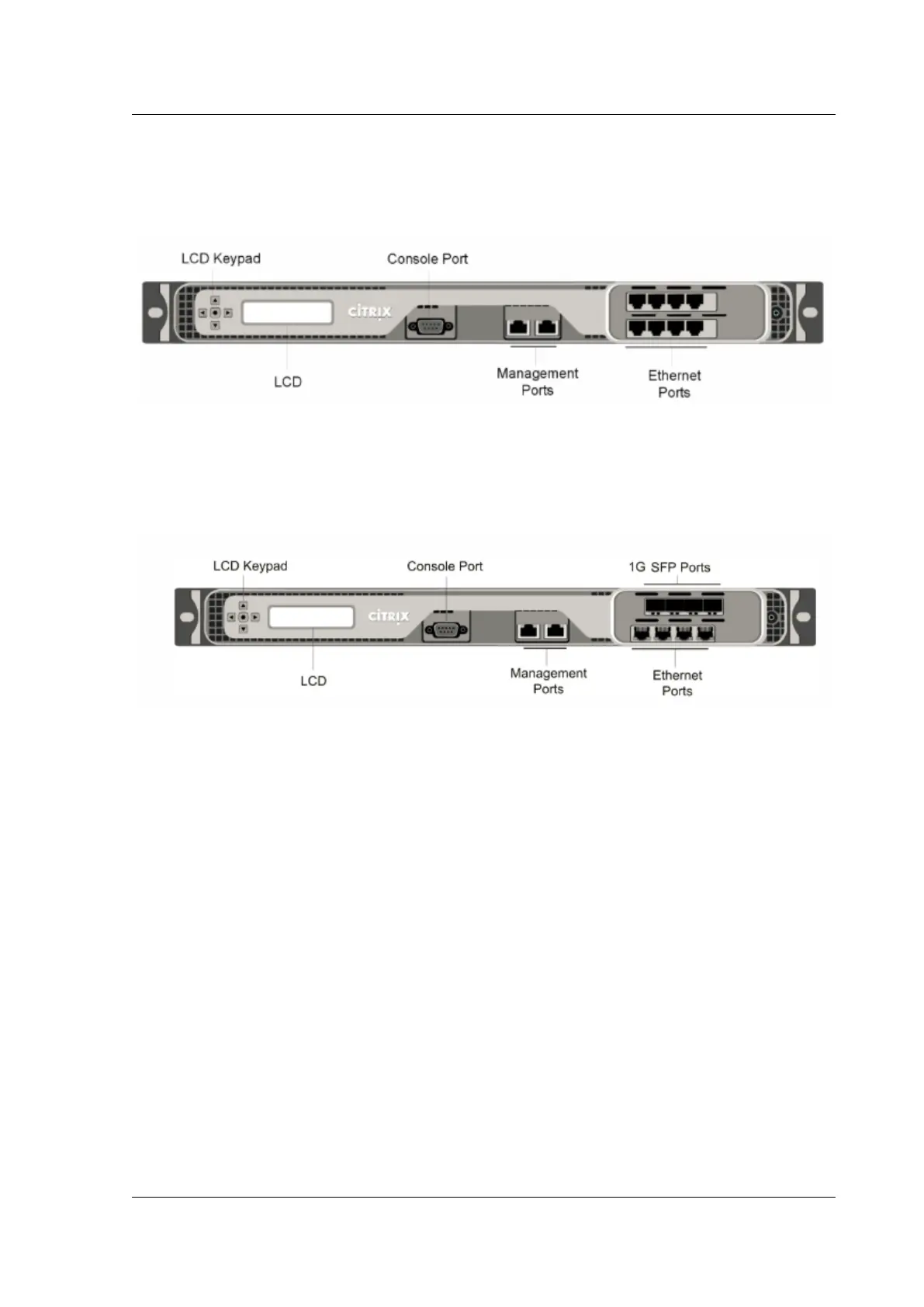
The following figure shows the front panel of the MPX 7500/9500 (8x10/100/1000Base‑T copper Ether‑
net ports) appliances.
Figure 1. Citrix ADC MPX 7500/9500 (8x10/100/1000Base‑T copper Ethernet ports), front panel
The following figure shows the front panel of the MPX 7500/9500 (4x1G SFP + 4x10/100/1000Base‑T
copper Ethernet ports) appliances.
Figure 2. Citrix ADC MPX 7500/9500 (4x1G SFP + 4x10/100/1000Base‑T copper Ethernet ports), front
panel
Depending on the model, the appliance has the following ports:
• RS232 serial console port.
• Two 10/100/1000Base‑T copper Ethernet management ports, numbered 0/1 and 0/2 from le
to right. These ports are used to connect directly to the appliance for system administration
functions.
• Network Ports
– MPX 7500/9500 (8x10/100/1000Base‑T copper Ethernet ports). Eight 10/100/1000Base‑T
copper Ethernet ports. Four ports numbered 1/1, 1/2, 1/3, and 1/4 on the top row from le
to right. Four ports numbered 1/5, 1/6, 1/7, and 1/8 on the bottom row from le to right.
– MPX 7500/9500 (4x1G SFP + 4x10/100/1000Base‑T copper Ethernet ports). Four 1‑gigabit
copper or fiber 1G SFP ports numbered 1/1, 1/2, 1/3, and 1/4 on the top row from le to
right. Four 10/100/1000BASE‑T copper Ethernet ports (RJ45) numbered 1/5, 1/6, 1/7, and
1/8 on the bottom row from le to right.
The following figure shows the back panel of the MPX 7500/9500 appliance.
Figure 3. Citrix ADC MPX 7500/9500, back panel
© 1999–2023 Cloud Soware Group, Inc. All rights reserved. 32



 To Next Page