ci5000 Series Printer Operation Guide
Version 1.0 4-13
Print Quality Faults 喷印质量差
喷印质量差喷印质量差
喷印质量差
Print Quality Faults can be caused by many different area of the printer. These range from; 喷印质量差可
能由喷码机的许多不同的地方引起。这些包括
1. A dirty printhead 打印头不干净
- Please review Section 5.2 Printhead Cleaning
请参考章节
请参考章节请参考章节
请参考章节
5.2
,打印头清洗
,打印头清洗,打印头清洗
,打印头清洗
部分介绍
部分介绍部分介绍
部分介绍
2. Dirty nozzle 喷嘴堵塞
- See Section 5-4 Backflush Routine
请参考章节
请参考章节请参考章节
请参考章节
5.4
,回冲程序介绍
,回冲程序介绍,回冲程序介绍
,回冲程序介绍
3. Poor or misadjusted printhead alignment 不良或错误的打印头调整
- Contact your local Service Technician
请联系所在地技术服务人员
请联系所在地技术服务人员请联系所在地技术服务人员
请联系所在地技术服务人员
4. Ink out of viscosity 墨水粘度超标
- Ensure the proper ink and Make-up are used
确认按照规范使用墨水和溶剂
确认按照规范使用墨水和溶剂确认按照规范使用墨水和溶剂
确认按照规范使用墨水和溶剂
- Contact your local Service Technician
请联系所在地技术服务人员
请联系所在地技术服务人员请联系所在地技术服务人员
请联系所在地技术服务人员
5. Needing recalibration 需要重新调校机器参数
- Contact your local Service Technician
请联系所在地技术服务人员
请联系所在地技术服务人员请联系所在地技术服务人员
请联系所在地技术服务人员
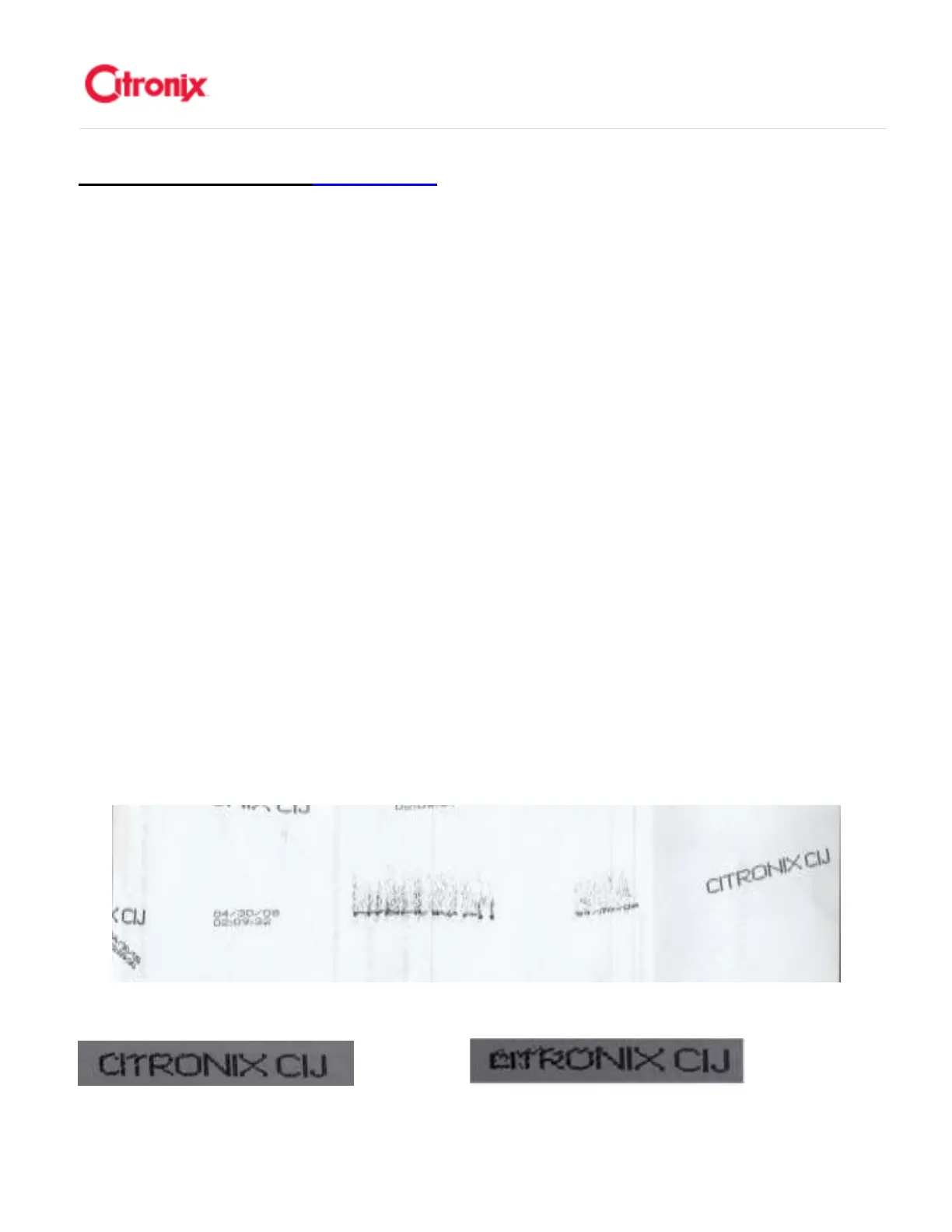
The following are examples of faulty printing. In most cases, further investigations should begin
with ensuring that the printhead is clean and properly aligned.下面示例中显示的喷印质量差。在
大多数情况下,处理步骤首先从清洗打印头和保证墨线位置的正确开始



 To Next Page