EN
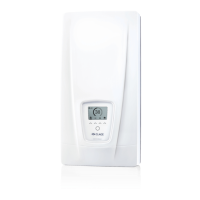
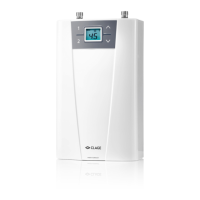
DEX 12 Next
22
Contents
Operation instruction
. Description of the appliance ...........................
. Environment and recycling ............................
. How to use ..........................................
Main screen ..........................................
Main menu. . . . . . . . . . . . . . . . . . . . . . . . . . . . . . . . . . . . . . . . . . .
Statistics ............................................
Settings .............................................
User ................................................
Device Information ...................................
Top-up heating .......................................
How to save energy ...................................
Venting after maintenance work ........................
Cleaning and maintenance .............................
. Trouble-shooting and service ...........................
. Product data sheet in accordance with EU regulation -
/ / ...............................
Installation instruction
. Overview ............................................
. Technical specifications ...............................
. Dimensions ..........................................
. Installation. . . . . . . . . . . . . . . . . . . . . . . . . . . . . . . . . . . . . . . . . . .
Installation site .......................................
Mounting accessories .................................
Installing the wall bracket ..............................
Installing connection pieces ............................
Installing the appliance ................................
. Direct connection ....................................
. Electrical connection .................................
Wiring diagram .......................................
Structural prerequisites ...............................
Electrical connection from below .......................
. Initial operation ......................................
Selection of power rating ..............................
Reinstallation ........................................
Shower application ...................................
Locking function .....................................
. Maintenance work ....................................
Cleaning and replacing the filter strainer ................
Cleaning and replacing the filter strainer if direct
connected ...........................................
Registration
Register your device online on our website and benefit from our services under warranty.
Your full details help our customer service process your request as fast as possible.
For online registration, just follow the link below or use the QR code with your smartphone or tablet.
https://partner.clage.com/en/service/device-registration/
The documents supplied with the device must be stored carefully.


 To Next Page
 Loading...