EN
DEX 12 Next
26
3. How to use
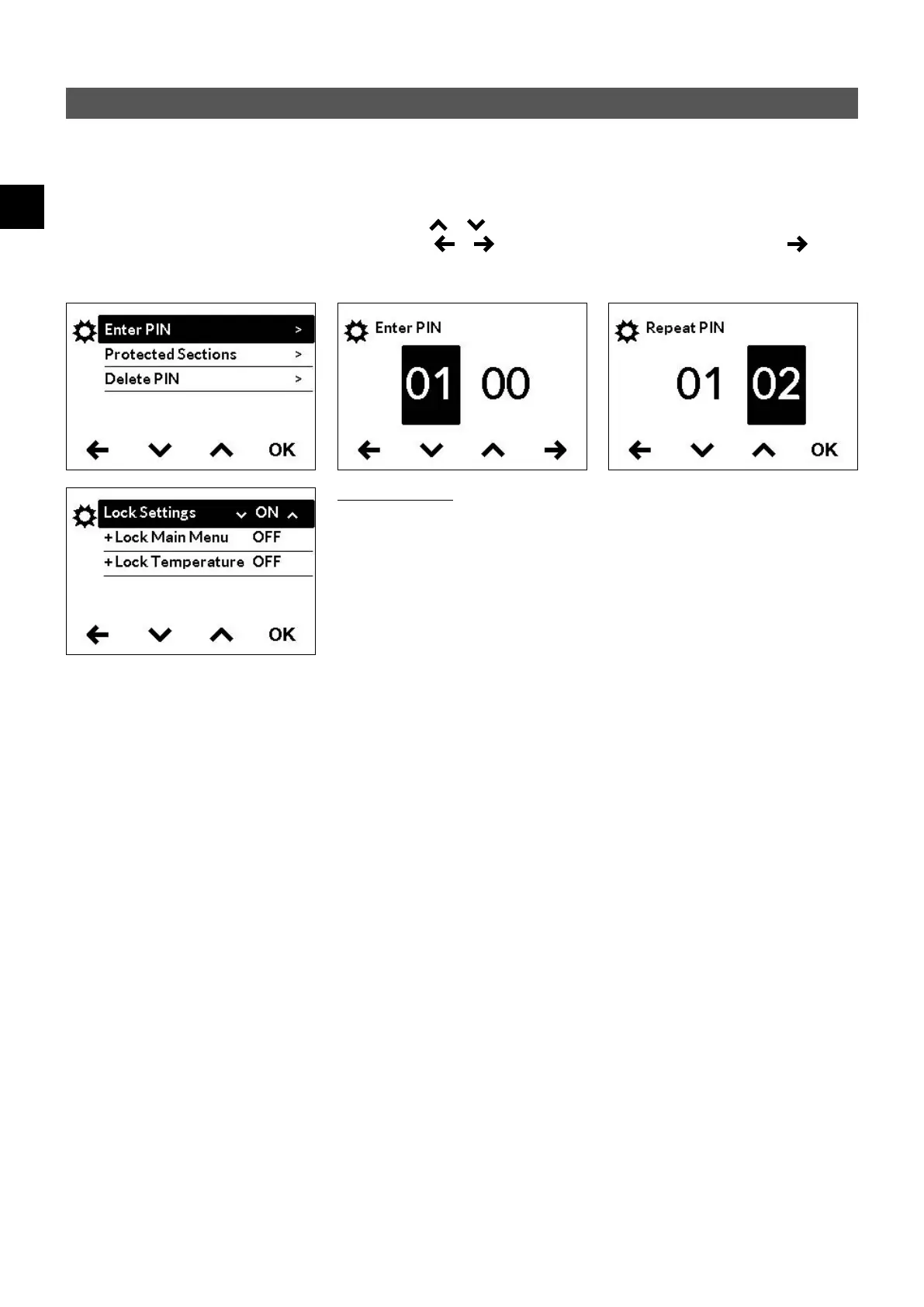
Operation Lock: Secure your settings with a four-digit PIN.
Note: The operation lock can only be deactivated with the correct PIN under
“Protected Sections” or under “Delete PIN”. If you should forget your PIN, please
contact Customer Services.
PIN Entry: Use
or to select digits from 00 to 99. To move to the next or previ-
ous digit, select
or . Once you have selected both digits, confirm by . The
PIN must be reentered and confirmed by “OK” as a security measure.
If both entries match, you can access the section “Protected Sections”.
Protected Sections: Select the areas for a PIN lock.
• Lock Settings: Automatically active as soon as a password has been generated.
Users can only access the settings menu with a PIN. Deactivating it deletes the cur-
rent PIN.
• + Lock Main Menu: Users can only access the main menu with a PIN
• + Lock Temperature: The outlet temperature is set to the current value and can only
be changed with a PIN. User profiles and applications can also only be changed with
a PIN.
Electricity price (currency/kWh): Specify the electricity price of your own electricity
supplier.
Water price (currency/m³): Specify the water price of your own water supplier.
Load Shedding: No function.
Factory Settings: All factory settings can be recalled. Temperature limit for showering
and load shedding are not affected.
Note: All customised user profiles and power and water prices entered, are deleted.
Delete Statistics: Use this function to delete all previously collected statistical data.
Deleted statistical data cannot be restored.


 To Next Page
 Loading...