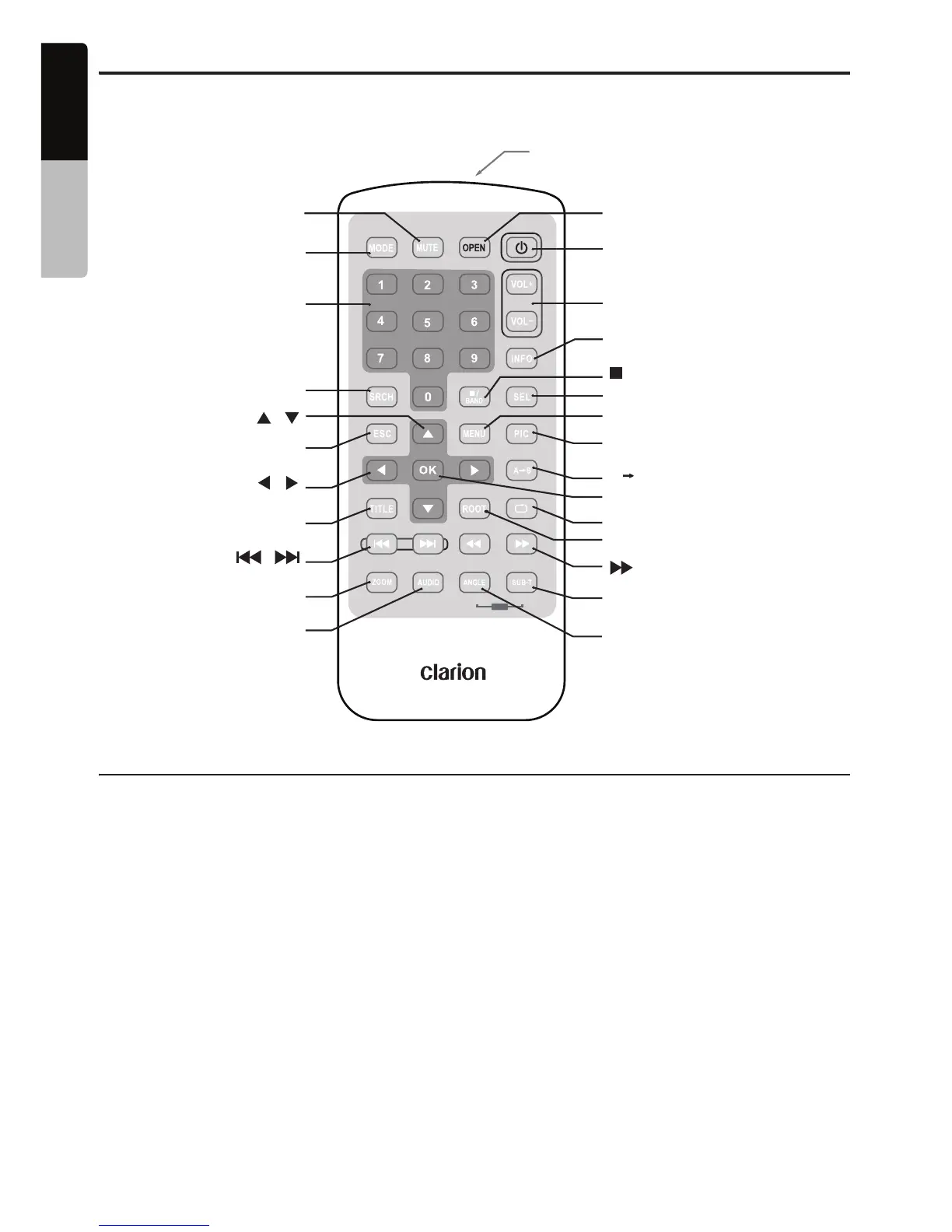
Remote Control
Remote control unit
Replacing the Batteries
1. Press the retention tab and pull out the battery
tray and remove the old battery.
2. Insert the new CR2025 battery and slide the
battery tray back in the remote control the
same direction that you removed it. Please
ensure the tray is inserted in the correct direction.
Note:
Using batteries improperly can cause them to
explode. Take note of the following points:
• When replacing batteries, replace both batteries
with new ones.
• Do not short-circuit, disassemble or heat batteries.
• Do not dispose of batteries into fire or flames.
• Dispose of spent batteries properly.
Signal transmitter
Operating range: 30˚ in all directions
Signal transmitter
Operating range: 30˚ in all directions
[
OPEN
]
[
POWER
]
[
VOLUME
]
[
INFO
]
[
/ BAND
]
[
SEL
]
[
MENU
]
[
PIC
A B
]
[
OK
REPEAT
]
[ ]
[ ]
ROOT
[ ]
[ ]
[SUB TITLE/VIDEO iPod MODE*]
[
ANGLE/AUDIO iPod MODE*]
* Only when capable iPod
is connected
[ ] [ ]
[ ] [ ]
[
MUTE
]
[
MODE
]
[
SRCH
]
[ ]
[
ESC
]
[
TITLE
]
[
ZOOM
]
[
AUDIO
]
[
0 - 9
]
[ ]
AUDIO VIDEO
iPod
10
English
VX409/VZ409
Owner’s manual


 To Next Page