Sirius Satellite Radio Operations
This function is available when a Sirius Satellite
Radio Receiver is connected through the .
dedicated connection.This unit requires the
following receiver:
• SIRIUS Satellite Radio Receiver: SC-C1
Note:
•
SIRIUS satellite radio is a subscription service.
Please contact Sirius Radio to begin or alter
your subscription:
Internet: www.sirius.com
Telephone: 888-539-SIRIUS (747487)
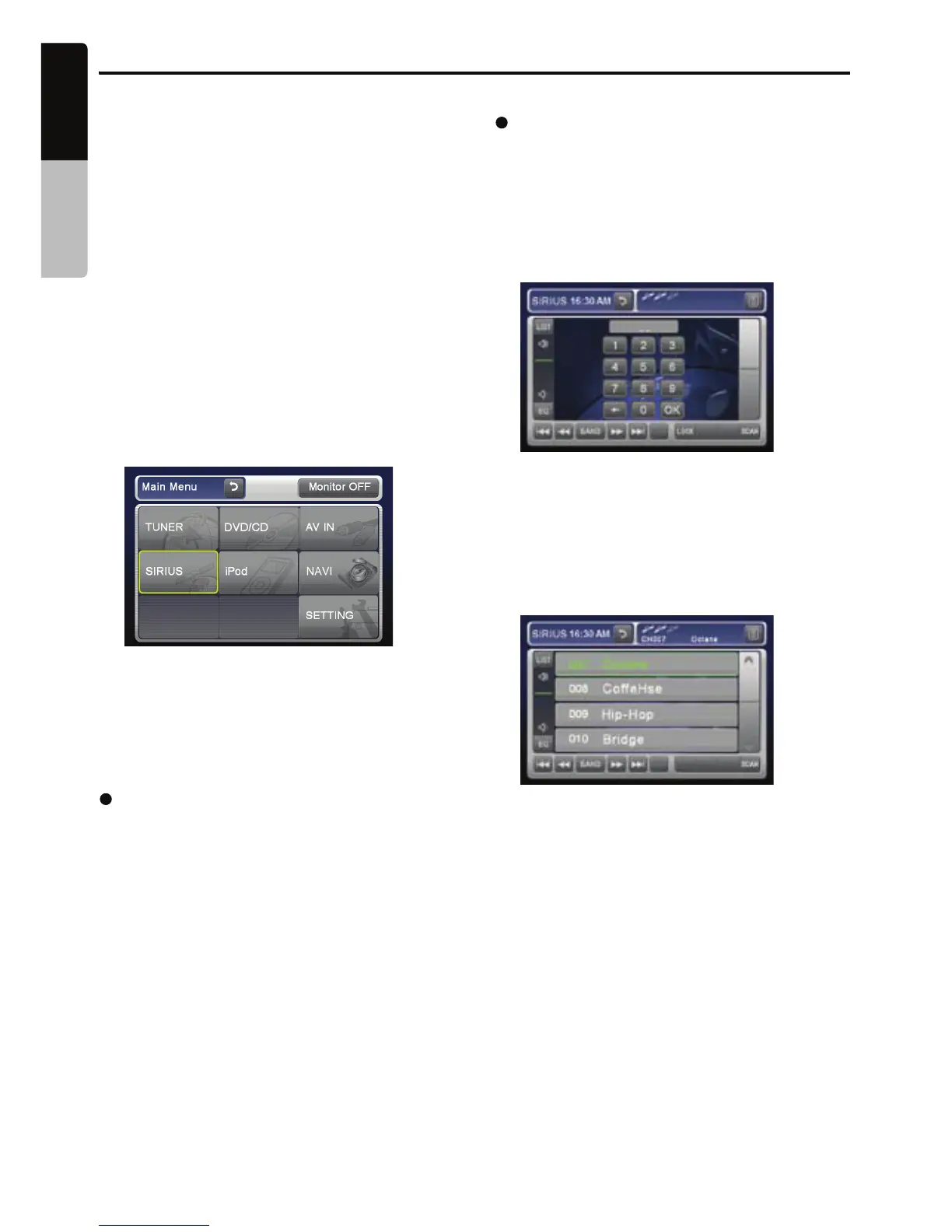
Selecting a Satellite Radio mode
1. Press the [MODE
] or [SOURCE] button until
SIRIUS is displayed or select ‘SIRIUS’ in the
main menu. You can reach the main menu
by pressing the [MENU] button on your unit.
The system changes to the Sirius Satellite
Radio mode.
Selecting your presets
1. Press the [BAND] button or touch the [Band]
key to enter the preset memory menu. You
can save up to 20 presets for your favorite
Information displayed during reception
The following information is displayed when the
satellite radio cannot be received normally.
• When the receiver is turned on the first time or
after a reset: “UPDATING” followed by a
• When a channel is being tuned in (no signal is
yet received): “ACQUIRING SIGNAL”
• A channel without a broadcast has been
selected:
“INVALID CHANNEL”
• A channel not covered by your contract:
“ CALL 888-539-SIRIUS”
Call (888)539-747487 to activate your radio
• When a channel is out of air time: “OFF AIR”
Confirming your Radio ID
SIRIUS
1. Touch the [Search] key to display the Key
Pad screen.
2. Touch the [0] key, then touch the [ENT] key.
Your Radio ID (12-digits number) will be
displayed.
3. To return to the Sirius Radio, enter a new
channel to resume.
Displaying channel labels
1. Touch the [LIST] button and the next four
channels are displayed for your ease of
viewing.
2. Touch the [LIST] button again to return to
the main display screen.
Channel selection
Channels are selected with the [◄◄ ] or [►►]
buttons.
*
For details, see the following operation
descriptions.
Note:
•
The audio output is muted and other button
operations are not accepted during channel
selection.
channels for quick access.
percentage of completion.
• When a channel is out of air time: “
• When the antenna is disconnected or has
been damaged: “ANTENNA ERROR”
34
English
Owner’s manual
VX409/VZ409


 To Next Page