Basic Operations
Changing the output speaker for
the cellular phone
When you connect your cellular phone to this unit
using a separately sold adaptor, you can listen to
your telephone calls on your car speakers.
• The factory default setting is “RIGHT”
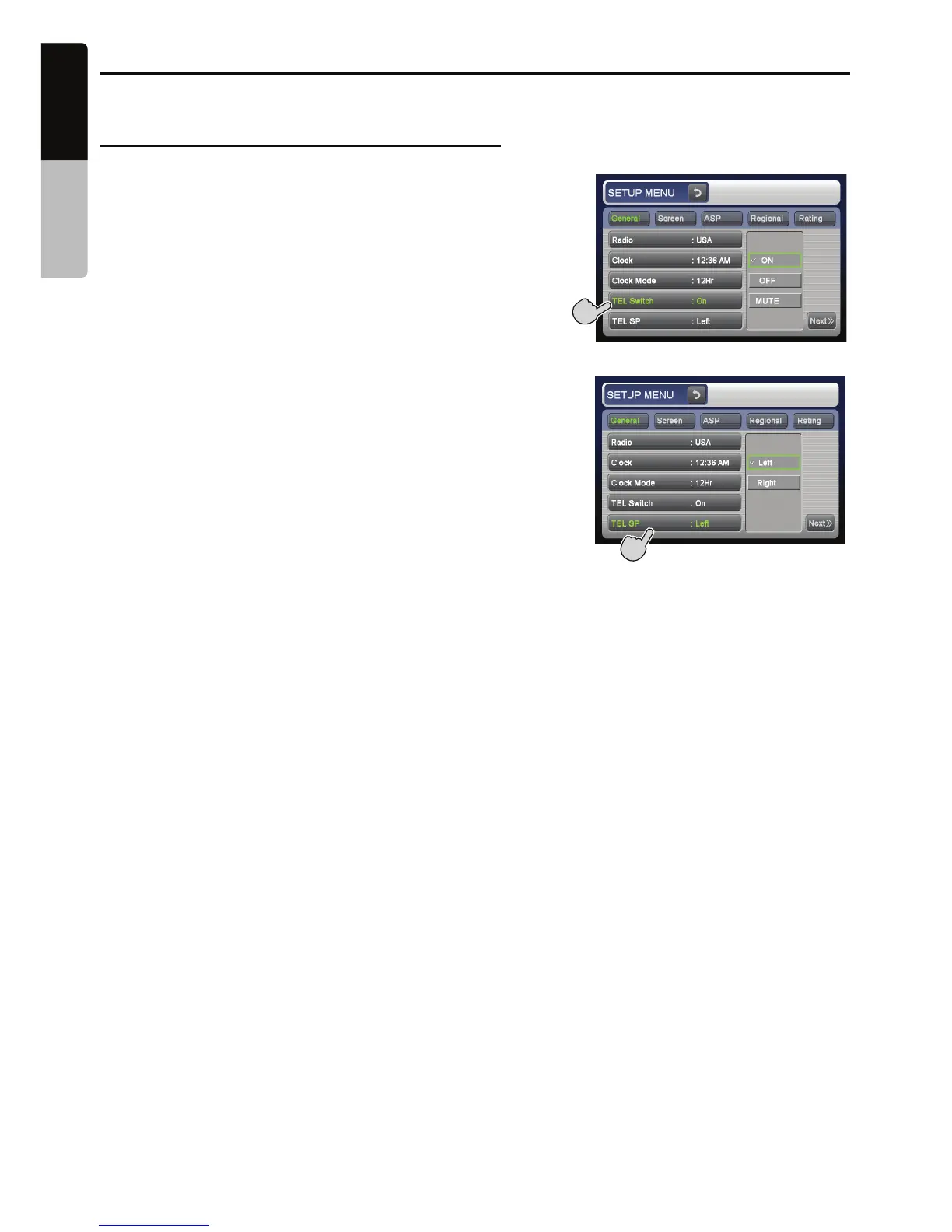
• To output the telephone calls, set the following
TEL SWITCH item to “ON”.
Note:
• During cellular phone interrupts, setting this
function is disabled.
Cellular phone interrupt setting
• The factory default setting is “OFF”.
Touch the [ LEFT ] or [RIGHT ] key of the TEL
SP item to set to “LEFT” or “RIGHT”.
LEFT:
Telephone calls are heard from the front left
speaker connected to this unit.
RIGHT:
Telephone calls are heard from the front
right speaker connected to this unit.
Touch the [ON ], [ OFF ] or [ MUTE ] key of the
TEL SWITCH item to set to “ ON ”, “ OFF ” or
“MUTE ”.
ON:
You can listen to your telephone calls from
the speakers connected to this unit.
* When listening to your calls on your car
speakers, you can adjust the volume using
the [ +]/[–] buttons.
OFF:
This unit continues normal operation even
when you use the cellular phone.
MUTE:
The sound from this unit is muted during
telephone calls.
20
English
VX409/VZ409
Owner’s manual
Note:
• This function is not compatible with all cellular
telephones. Contact your local authorized Clarion
dealer for information on proper installation and
compatibility.
• When you set this function to “OFF ”, disconnect
the cellular phone from the cable or turn off the
power of the cellular phone.



 To Next Page