19
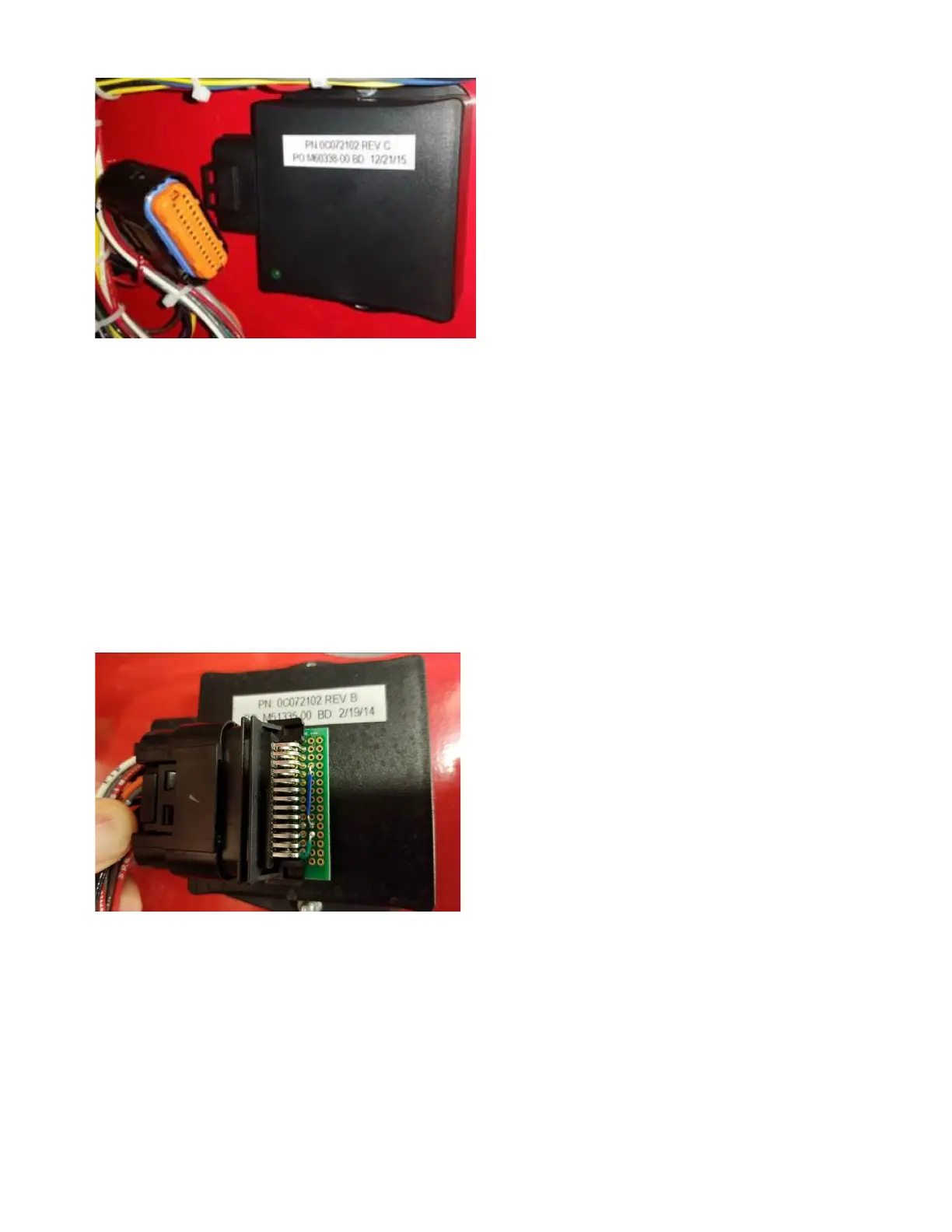
Figure #9B
3) This will prevent the BASE from switching to
Alternate ECM during the software re-flashing
process.
4) Complete the programming process as normal.
5) Plug the BASE back in.
To program the Alternate ECM:
1) Unplug the BASE dual ECM auto-switching
device on the back side of the engine gauge
panel door.
2) Insert the service tool, provided in the engine
gauge panel, into the connector removed from
the BASE. (See Figure #9C)
Figure #9C
3) This will force the panel into Alternate ECM
mode.
4) Complete the programming process as normal.
5) Plug the BASE back in.
2.6.3.4 Using the PowerView Gauge
The PowerView gauge (reference Figure #9D) allows
the operator to view operating conditions and
diagnostic trouble codes (DTC’s).
Press the menu key (C) to access the various engine
functions in sequence. The displays can be selected as
either customary English or metric units.
The following menu of engine parameters can be
displayed on the power view (refer to Figure #9E).
1. Engine rpm*
2. Coolant temperature*
3. Oil pressure*
4. Machine hours*
5. System voltage (battery #1)*
6. System voltage (battery #2)*
7. Percent engine load at the current rpm
8. Oil temperature
9. Intake manifold temperature
10. Fuel temperature
11. Engine torque
12. Fuel level
13. Active service (diagnostic) codes
14. Store service (diagnostic) codes from the
engine
15. Set the units for display
16. View the engine configuration parameters
* These six parameters are fixed for the power-up
display. (See Figure #9E)
The PowerView gauge includes a liquid crystal
display (LCD) screen. The display is programmed
to show six NFPA required engine parameters
simultaneously. The diagnostic gauge uses two
arrow keys (A) and (B) for scrolling through the
engine parameter list and viewing the menu list.
An enter key (E) is used for selecting highlighted
items. The (D) key is an escape option to leave a
menu without making a change. The red (G) and
amber (F) lights are used to signal active trouble
codes received by the diagnostic gauge.
NOTE:
Red indicator light (G) indicates a serious
condition. Correct problem before
restarting.
Amber indicator light (F) indicates an
abnormal condition. It is not necessary to
shutdown engine immediately but problem
should be corrected as soon as possible.



 To Next Page