90001697 Classeq Under Counter Range - User Manual
17
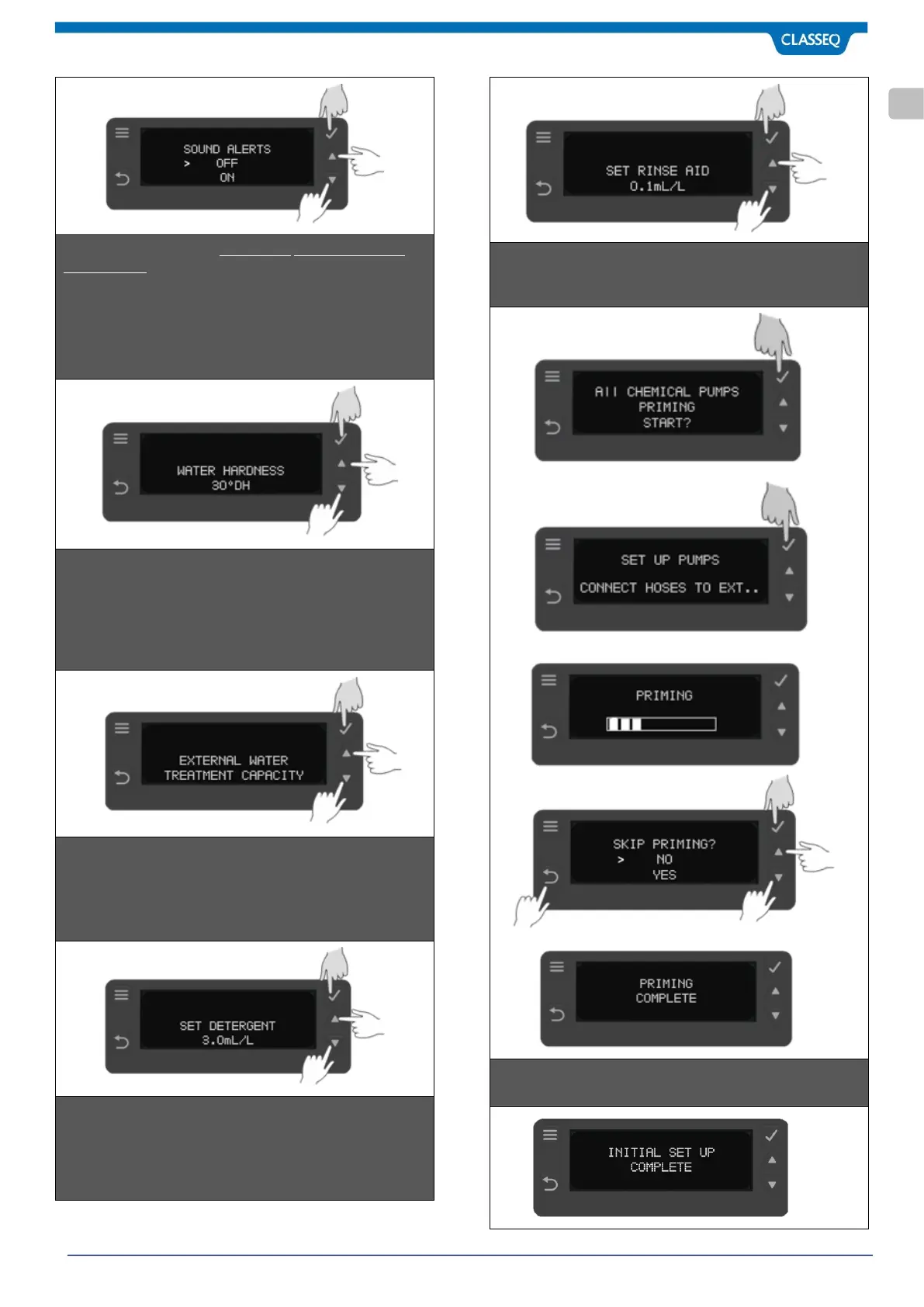
STEP 5: This Step is for the warewasher with internal Water
Softener Only. Set Water Hardness setting by using Up &
Down buttons (5 & 6). Confirm the selection by pressing Select
button (3). Default is set at highest level 30ºDH.
Minimum: 0ºDH and Maximum: 30ºDH.
Please note at minimum setting of 0ºDH, water softener is
deactivated.
STEP 6: This Step is for the warewasher with External Water
Softener Only. Set external Water treatment capacity in litres
setting by using Up & Down buttons (5 & 6). Confirm the
selection by pressing Select button (3). Refer supplier data for
the external water softener device.
Minimum is 1 litres and Maximum is 9999 Litres.
STEP 7: Set Detergent dose by using button (5) & (6) as per the
concentration required in millilitres per litre of Water (ml/L).
Confirm the selection by pressing Select button (3). Default is
set at 3.0ml/L.
Minimum: 0.1 ml/L and Maximum: 9.99ml/L
STEP 8: Set Rinse Aid dose by using button (5) & (6) as per the
concentration required in millilitres per litre of Water (ml/L).
Confirm the selection by pressing Select button (3). Default is
set at 0.1ml/L.
Minimum: 0.1 ml/L and Maximum: 9.99ml/L
STEP 9: Start priming by selecting button (3). Make sure tubes
are not kinked and free of obstruction. Priming last for 15
minutes but you can stop early by pressing button (4).
STEP10: This is just a display (7) of commissioning completion.
Warewasher is ready now to use.



 To Next Page