5.2 Commissioning Check Up
5.2.1 Chemicals
Your warewasher will be set to the default chemical dosing
settings. However, since there are many different chemicals on
the market and each of these have different concentration
requirements, the dosage can be adjusted by following the
instructions given below:
Refer to the chemical bottle or contact the chemical supplier to
find the concentration requirements for the rinse aid and
detergent in millilitres of chemical per litre of water (ml/L).
5.2.2 Water Softener (If fitted)
Check the hardness of your water supply (°d). You can establish
the hardness of your water supply yourself using a simple water
hardness testing kit or you may be able to get this information
from your local Water Supply Company.
Refer to the Water Softener settings table to find the setting
required for your water hardness.
For External Water softener unit, refer Supplier specification and
water capacity between regeneration.
5.2.3 Wash and Rinse Tank Temperatures
The Wash and Rinse Tank (Boiler) temperatures have been
factory set to pre-set temperatures. These temperatures do not
normally need to be adjusted by the user.
Please refer to the latest version of the Engineers Manual on the
Classeq website for full information regarding temperatures and
interlock settings.
5.3 Commissioning Setup
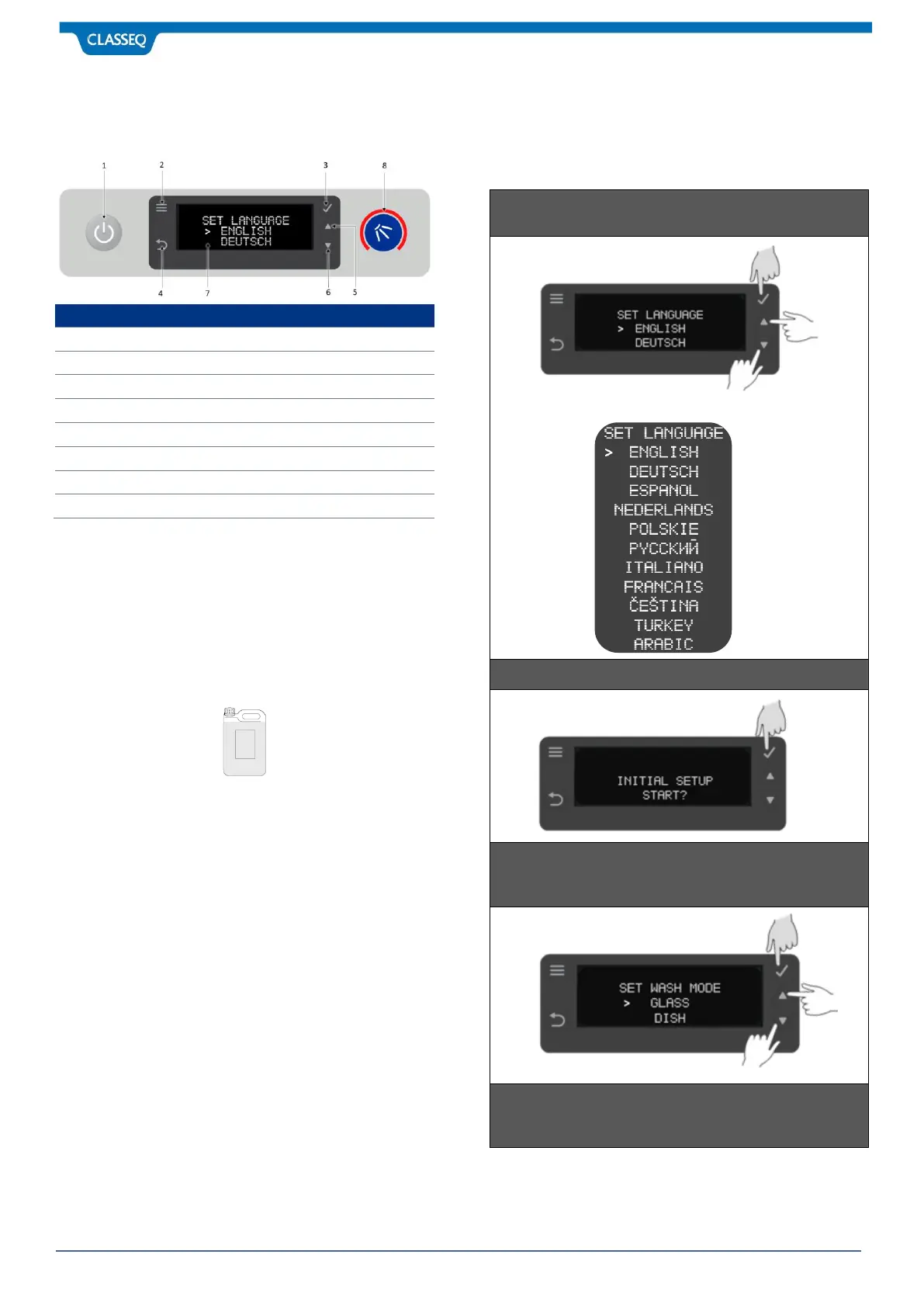
When warewasher is power up first time, it will automatically go
into the commissioning mode before you can start using the
warewasher. Follow the instruction as displayed on Display
screen (7)



 To Next Page