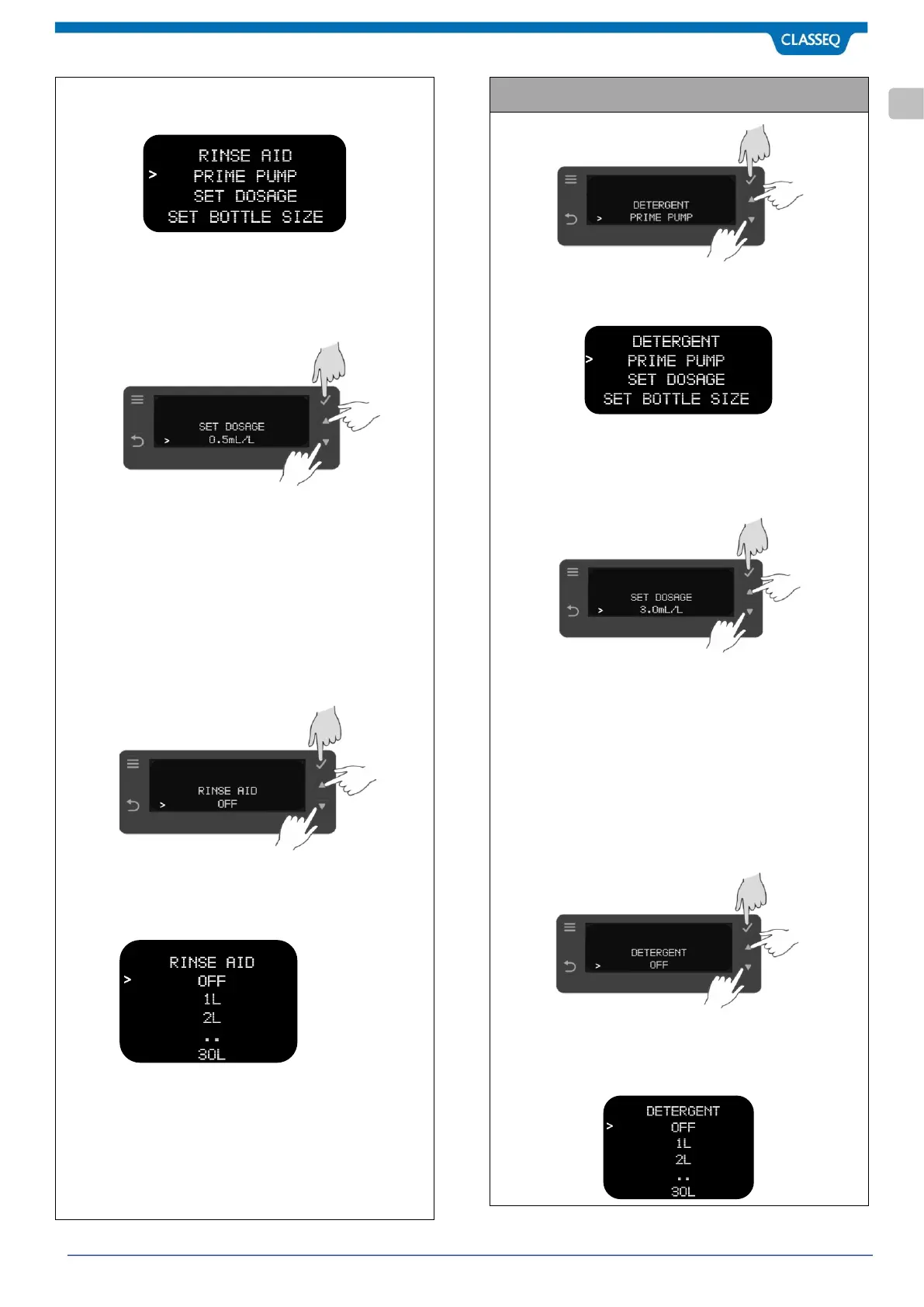
Press Select Button (2) to enter the PUMP operation options.
Press UP Button (4) & DOWN Button (5) to select your choice of
operation. Confirm your selection by pressing Select Button (2).
• Selecting PRIME PUMP OPTION will activate the
pump for fixed specified time until Back button (7) is
pressed, whichever comes first.
• Selecting DOSAGE option allows you to change
dosage setting in ml per litres.
Adjust Rinse Aid dose by using button (4) & (5) as per the
concentration required in millilitres per litre of Water (ml/L).
Confirm the selection by pressing Select button (2). Default is
set at 0.1ml/L.
Minimum: 0.1 ml/L and Maximum: 9.99ml/L
Press Back button (7) to return to previous menu.
• Selecting SET BOTTLE SIZE options unable Rinse Aid
re-fill reminder based on the Rinse Aid bottle size.
Ware washer estimates the usage of chemical based
on volume of water machine has used and chemical
dosage setting.
By pressing UP Button (4) & DOWN Button (5), you can set the
chemical refill reminder notification ON. Press Select Button (2)
to confirm the selection. Default is set to OFF.
Minimum: OFF and Maximum: 30L
Please Note: In an event of empty chemical bottle, reminder
note will notify on display (6) to refill the chemical before the
start of cycle.
Press Select Button (2) to enter the PUMP operation options.
Press UP Button (4) & DOWN Button (5) to select your choice of
operation. Confirm your selection by pressing Select Button (2).
• Selecting PRIME PUMP OPTION will activate the
pump for fixed specified time until Back button (7) is
pressed, whichever comes first.
• Selecting DOSAGE option allows you to change
dosage setting in ml per litres.
Adjust Detergent dose by using button (4) & (5) as per the
concentration required in millilitres per litre of Water (ml/L).
Confirm the selection by pressing Select button (2). Default is
set at 3.0 ml/L.
Minimum: 0.1 ml/L and Maximum: 9.99ml/L
Press Back button (7) to return to previous menu.
• Selecting SET BOTTLE SIZE options unable detergent
re-fill reminder based on the Detergent bottle size.
Ware washer estimates the usage of chemical based
on volume of water machine has used and chemical
dosage setting.
By pressing UP Button (4) & DOWN Button (5), you can set the
chemical refill reminder notification ON. Press Select Button (2)
to confirm the selection. Default is set to OFF.
Minimum: OFF and Maximum: 30L



 To Next Page