3
4 5
1
Front
Left
Right
11
7
12
10
2
6
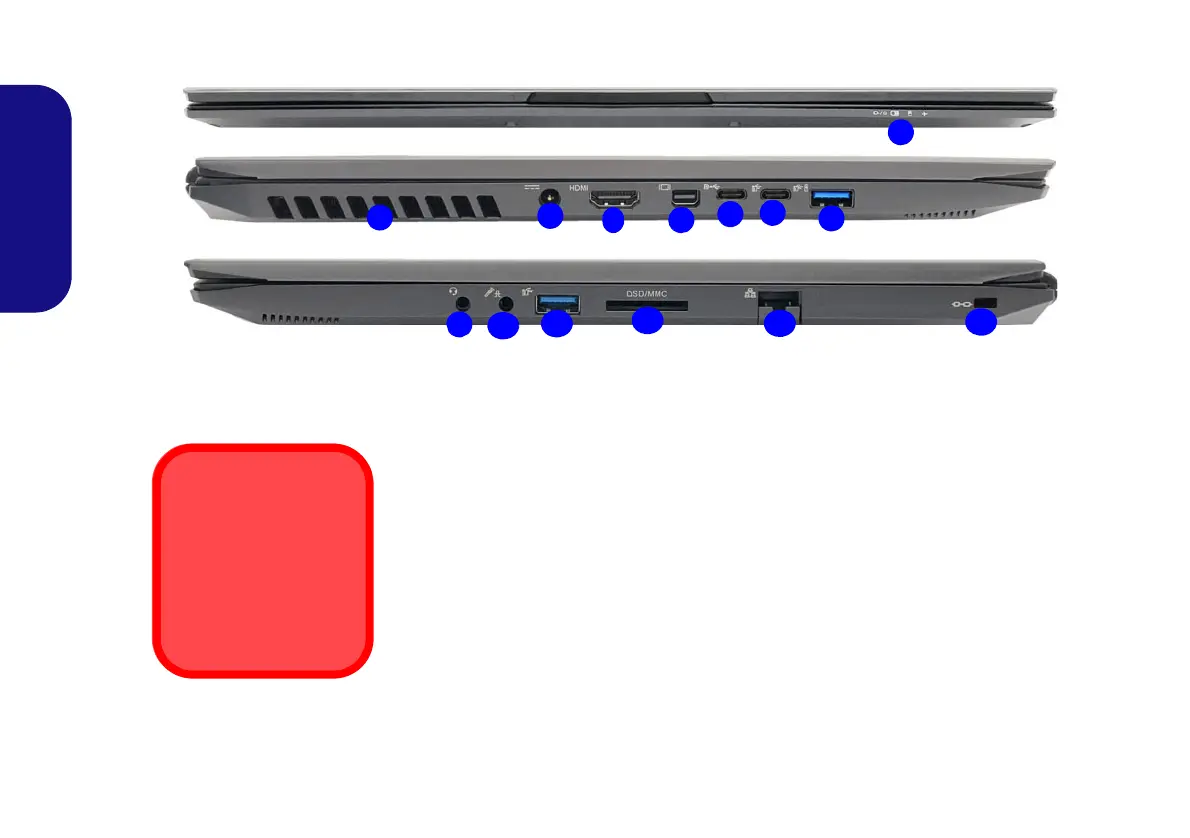
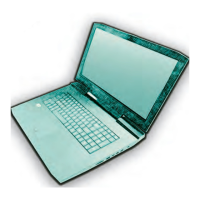
Figure 5 - Front, Left & Right Views (Model C)
1. LED Indicators
2. Vent
3. DC-In Jack
4. HDMI-Out Port
5. Mini DisplayPort 1.3
6. DisplayPort 1.3 over USB 3.1 Gen 2 Type-C
Port
7. USB 3.1 Gen 2 Type-C Port
8. *Powered USB 3.0 (USB 3.1 Gen 1) Type-A
Port
*Toggle power to this port by using Fn +
Power Button (see Table 3 on page 11).
9. 2-In-1 Audio Jack
(Headphone and
Microphone)
10. 2-In-1 Audio Jack
(Microphone and S/PDIF
Optical)
11. USB 3.0 (USB 3.1 Gen
1) Type-A Port
12. Multi-in-1 Card Reader
13. RJ-45 LAN Jack
14. Security Lock Slot
8
9
13
Overheating
To prevent your com-
puter from overheating
make sure nothing
blocks any vent while
the computer is in use.
14


 To Next Page