16
English
Control Center
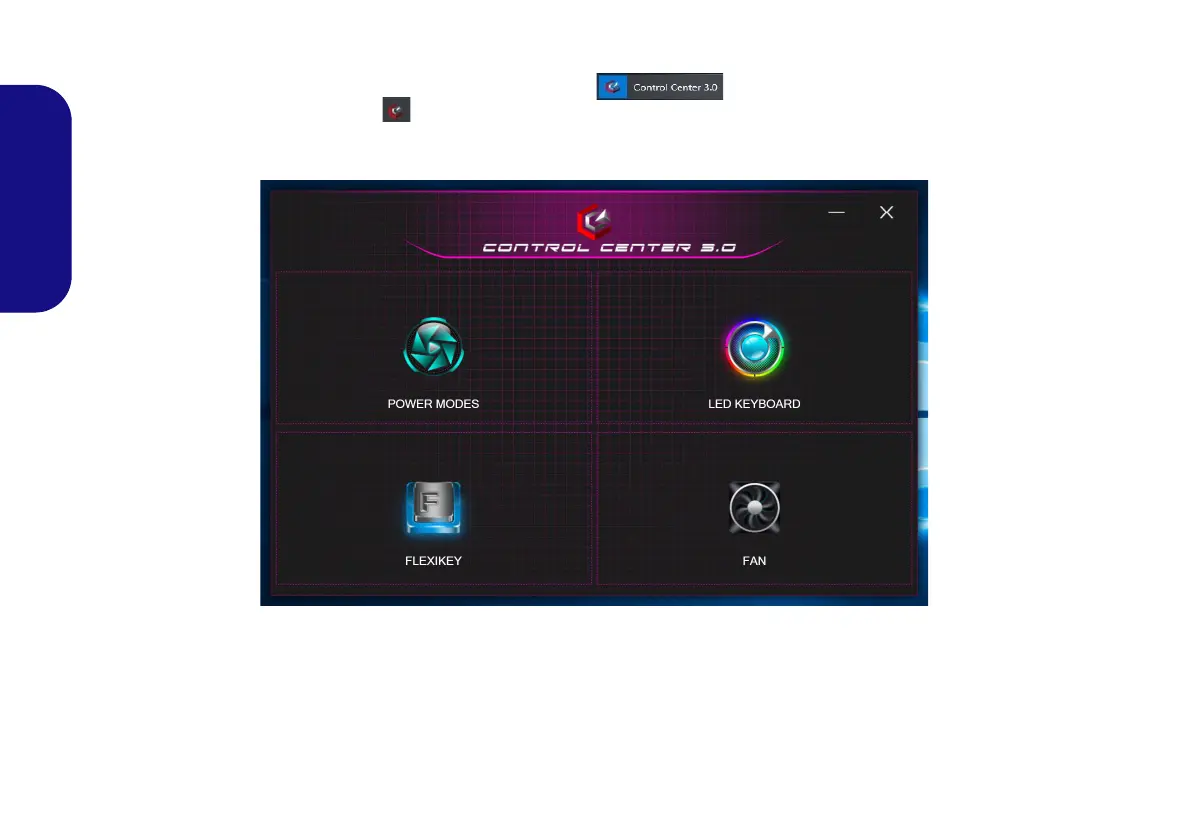
Run the Control Center from the Start menu in Windows . You can also press the Fn + Esc key com-
bination, or double-click the icon in the notification area of the taskbar to access the Control Center. The Con-
trol Center provides quick access to Power Modes, Fan settings, Flexikey and LED Keyboard configuration.
Figure 7 - Control Center
P950EDnP960P970EDEFEN.book Page 16 Friday, December 21, 2018 10:57 AM


 To Next Page