8
3.4. Software Installation
3.4.1. Installing USB Driver
Mobile Lite can be programmed via USB port connection of a computer using
the PC Programming Tool software (using the Programming Cable).
If the computer cannot recognize the USB connection, please try installing the
USB driver as instructed below.
Step 1. Make sure Mobile Lite and the computer is connected properly
(please refer to 3.3. Hardware Installation)
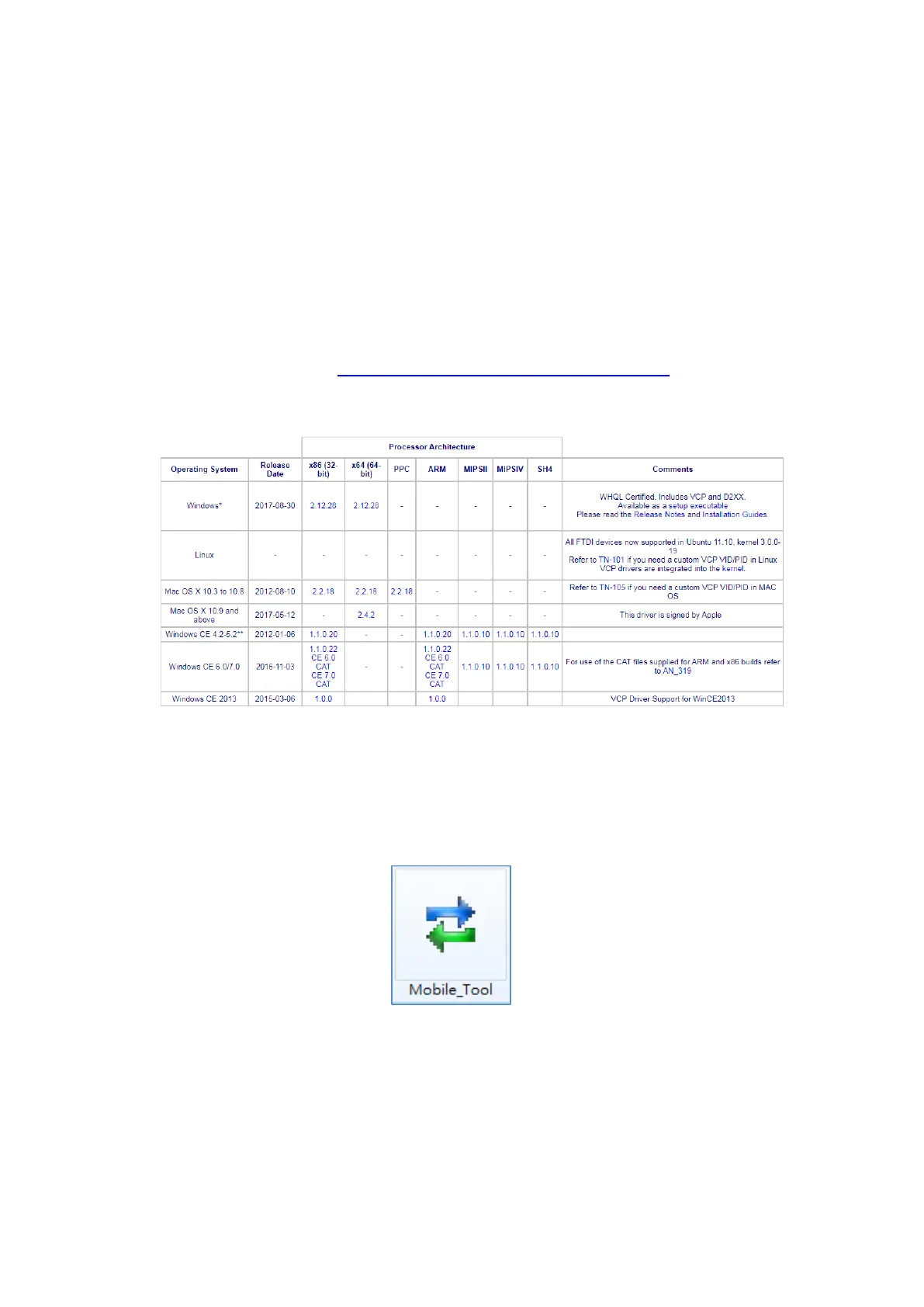
Step 2. Please go to http://www.ftdichip.com/Drivers/VCP.htm. Scroll down
the webpage and select the driver file according to your operation
system, download and install the driver.
3.4.2. Installing PC Programming Tool
PC Programming Tool for Mobile Lite is a portable application and requires no
installation. After installing the USB driver, simply unzip the file to a desired
folder and execute the “Mobile_Tool.exe” file.



 To Next Page