32
4.1.9. Firmware
To update the firmware of Mobile Lite:
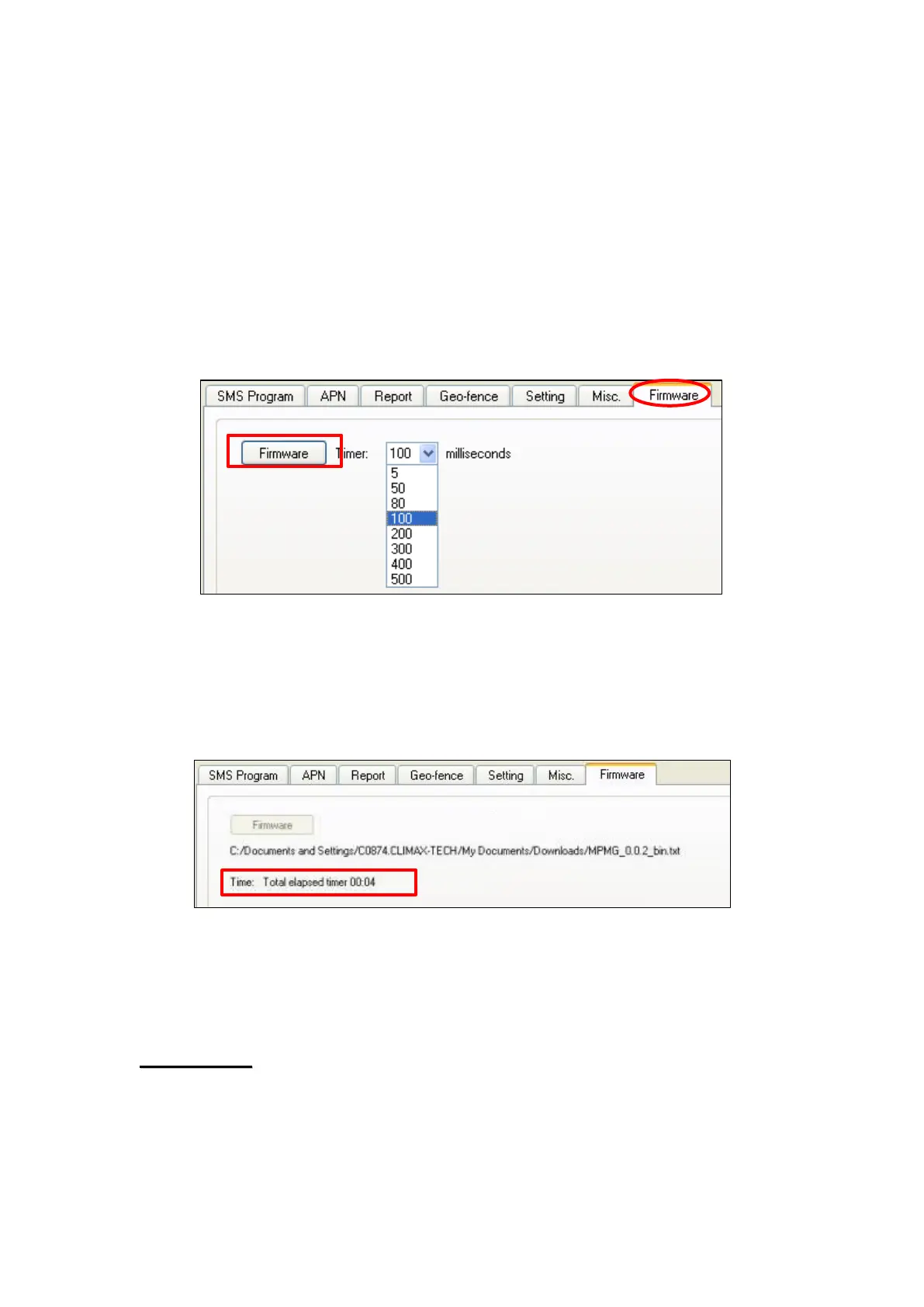
Step 1. Click “Firmware”.
Step 2. Select the firmware update speed from the drop down menu. The
shorter the time, the faster the update speed; however some
computer may not be able to support high update speed and doing so
may crash the computer. You may start by by selecting 5 milliseconds,
if the computer could not support this speed, change to 100
milliseconds.
Step 3. Select the provided firmware in your computer. A small window will
pop-up with the message “Read file ! OK!”. Click on the “OK” button
and the update process will start.
Total elapsed time will be displayed to show how long the updating
process has elapsed.
Step 3. When updating process is completed, a message “Firmware
update success!” will be displayed in a pop-up window.
Step 4. Click on “OK” and the programming tool will read the
settings of Mobile Lite again.
During updating process, please DO NOT disconnect Mobile Lite from the
computer nor clicking on the “Close” button of the programming tool.



 To Next Page