13
4.1.2. SMS Program
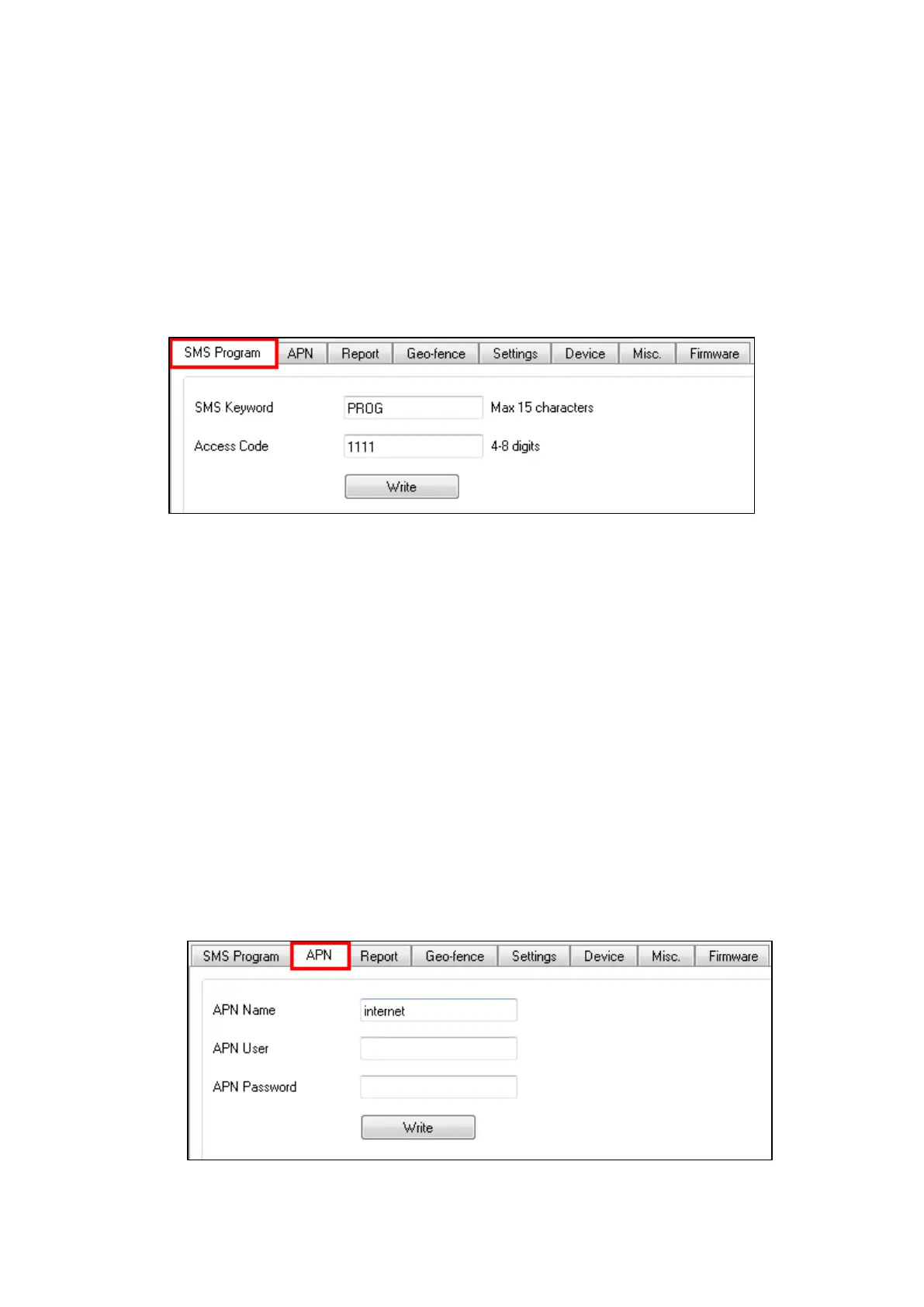
This tab allows the user to program SMS Keyword (15 characters max.) and
Access Code 1 (4-8 digits) which are used for SMS Programming feature.
Enter the information and click “Write” to complete programming. Please note
that SMS Keyword is case-sensitive. For detail information, please refer to 4.2.
SMS Programming.
SMS Keyword: PROG (default)
Access Code: 1111 (default)
4.1.3. APN
The APN setting must be completed for Mobile Lite to report events via cellular
network.
Click “APN” to set APN Name, APN User and APN Password and click “Write”
to confirm.
APN Name: The name of an access point for GPRS. Please ask your SIM
card service provider for your APN.
APN User: Offered by your SIM card service provider. Please ask your
service provider for your GPRS username. If no username is required, you
may skip this step.
APN Password: Offered by your SIM card service provider. Please ask
your service provider for your GPRS password. If no password is required,
you may skip this step.



 To Next Page