21
from the entered value. However, the actual position is affected very slightly.
Radius: Enter the radius of the operational area with respect to the center of
the operational area (200 to 10,000 meters).
Click on “Write” to submit the settings.
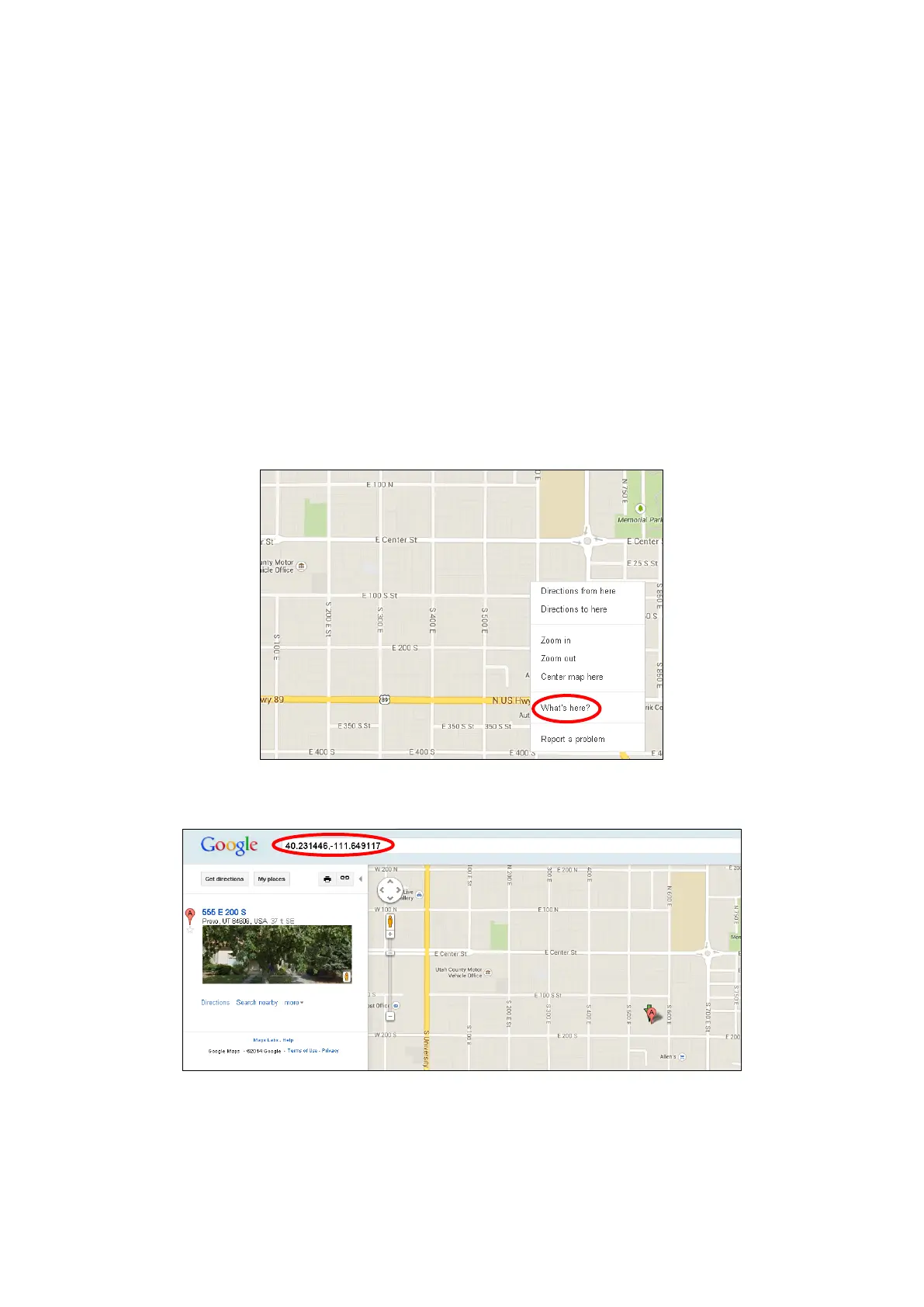
To identify the latitude and longitude of a particular location, follow the steps
below to identify a coordinate using Google Map:
Step 1: Open internet browser and access Google Map.
Step 3: Right-Click on a location and select “What’s here?” as shown:
Step 4: The latitude and longtitude will be shown respectively:



 To Next Page